Mollie: a jövőbiztos alternatíva az életciklusa végét elérő terminálod számára
A Mollie többféle lehetőséget kínál a fizetések fogadására a fizikai értékesítési pontodon. Hogy melyik megoldást választod, az az üzletedtől és személyes preferenciáidtól függ.
A Mollie többféle lehetőséget kínál a fizetések fogadására a fizikai értékesítési pontodon. Hogy melyik megoldást választod, az az üzletedtől és személyes preferenciáidtól függ.
2026. febr. 26.
Kénytelen vagy új fizetési terminál után nézni, most hogy a Yomani, Yoneo, Yoximo és Xenteo eszközöket megszüntetik?
Gondolom, erre nem számítottál.
De mi lenne, ha ez egy lehetőség volna arra, hogy megreformáld a pénzkezelést, és felkészülj a jövőre? Szánj egy pillanatot arra, hogy végiggondold ezeket a kérdéseket:
Fontos számodra a hatékonyság és a könnyű használat?
Nem szeretnél a telepítéssel bajlódni, de szükséged van egy használatra kész terminálra, amely lehetővé teszi, hogy azonnal fogadhasd a fizetéseket?
Szükséged van támogatásra olyan szakértőktől, akik beszélik a nyelvedet, heti 7 napon?
Szeretnél időt és költségeket megtakarítani azzal, hogy minden fizetésed egy platformra hozod?
Olyan partnert keresel, aki lépést tud tartani a villámgyors technológiai fejlődéssel?
Ne keress tovább. Mollie-nál mindent megtalálsz, amire szükséged van.
Mollie megoldásai a személyes fizetésekhez
A Mollie több lehetőséget kínál a fizetések fogadására a fizikai értékesítési pontján. A választott megoldás attól függ, hogy mi a vállalkozása és személyes preferenciái:
Rögzített vagy mobil eszközt szeretne?
Wi-Fi-n vagy 4G-n keresztül kíván csatlakozni?
Szeretne pénztárjegyet nyomtatni?
Külön eszközbe szeretne beruházni, vagy sem?
Mollie Terminal: mobil vagy rögzített
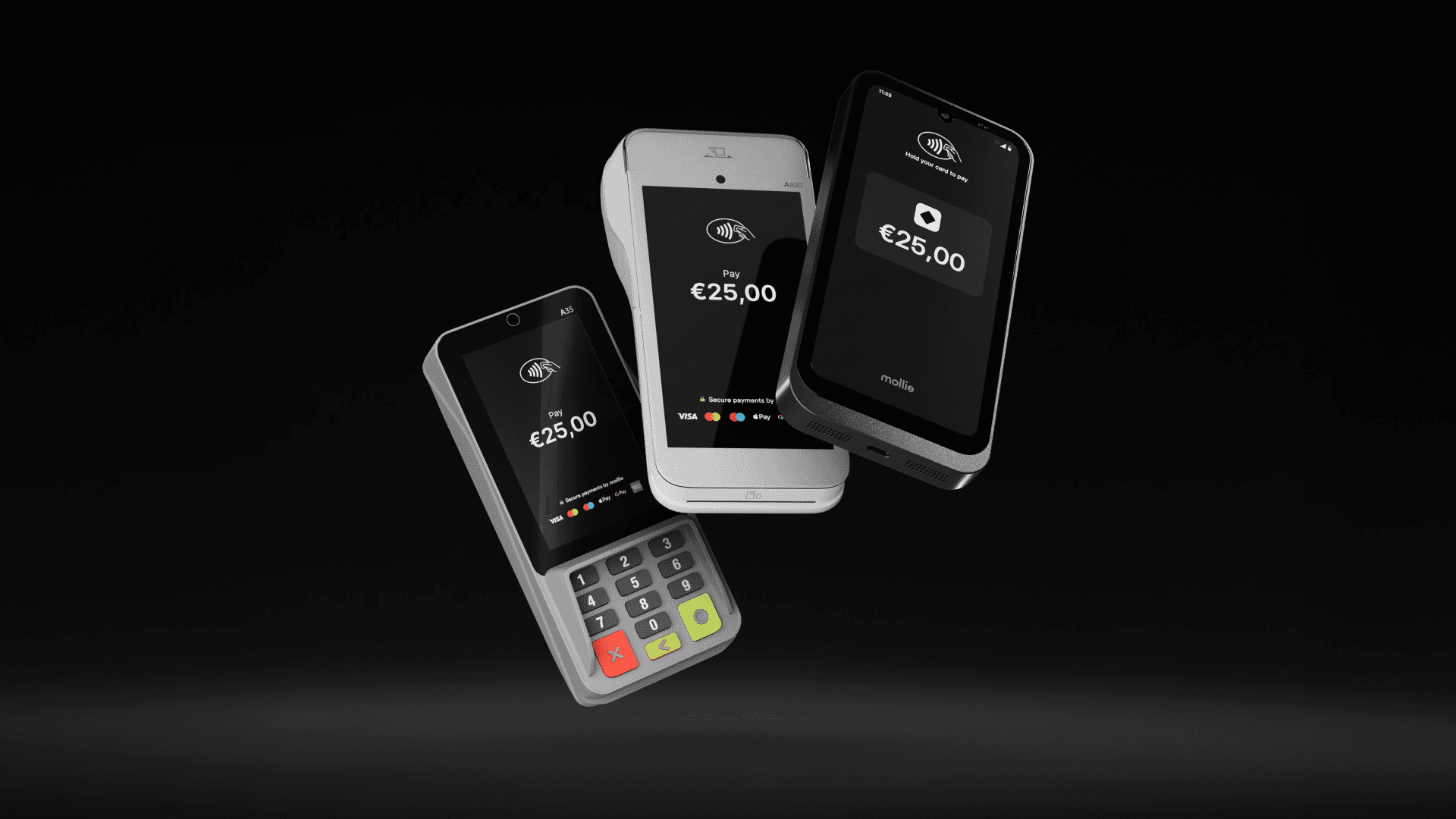
A Mollie Terminal saját fizetési terminálunk, amely lehetővé teszi a fizetések fogadását a fizikai értékesítési pontokon. Két változata van: egy mobil terminál (A920 Pro modell) és egy fix terminál (A35 modell).
A Tap to Pay használatával többé nincs szüksége külön eszközre. Csak saját okostelefonját vagy táblagépét alakítja terminállá, hogy fogadhasson fizetéseket betéti kártyák, hitelkártyák és digitális pénztárcák segítségével. Jelenleg a Tap to Pay csak Android készülékeken érhető el, de a Mollie nem lenne Mollie, ha a kínálatot nem bővítenék hamarosan (kacsintás).
While the payment terminal will still function once it reaches EOL, there are some very real risks involved in doing so:
No more security shields
The manufacturer stops releasing updates to protect against new types of fraud or hacking. If hackers find a new way in, your terminal won’t be able to stop them.
Potential fines and rising costs
Using an EOL terminal often means you are no longer PCI compliant, which can have financial consequences:
Monthly penalties: Acquiring banks typically charge a PCI non-compliance fee. Depending on your provider and transaction volume, this can range from €20 to €100+ per month, per terminal, until the hardware is replaced.
Increased rates: Some processors apply higher risk-based transaction rates to merchants using legacy equipment to offset the danger of a breach.
Liability shift
If something goes wrong or a data breach happens on an expired device, the financial responsibility often falls on the business owner (you) rather than the provider.
Fraud responsibility: If you process a payment on a non-compliant or non-EMV (chip) terminal and it turns out to be fraudulent, the bank can charge back that amount to you. You lose both the goods sold and the payment.
Data breach costs: If a security breach is traced back to your EOL terminal, you could be held liable for forensic audits, card replacement fees for affected customers, and legal settlements – costs that can easily reach thousands of euros.
Repair issues
If an old terminal breaks down, spare parts and software fixes are no longer produced. Your checkout could simply stop working during a busy shift, leaving you with no way to take payments while you wait days for a replacement.
How do you know if your terminals are reaching EOL?
Your payment provider will usually send you a notification several months before a deadline, but it is always best to be proactive. You can verify your status in three ways:
Check the hardware sticker: Look at the back or underside of your terminal for the model name and PCI PTS version number.
Check your business statement: Many providers now include a non-compliance warning or fee line item if they detect you are using outdated hardware.
The PCI official list: Search for your specific model in the PCI Council’s official database. If the expiry date has passed, the terminal is officially EOL.
What terminals are reaching the end of life?
Here are the models currently heading for retirement in 2025, 2026 and 2027. If your device is on this list, it’s time to look at an upgrade.
However, PCI PTS 5 devices can continue to process transactions until at least April 2029. To avoid being stuck with zombie hardware that works but never improves, it’s best to consider version 6 devices now.
What to do when your terminal reaches EOL
If your terminal is on the list, don’t panic, but don’t wait until the last minute either. Here’s a simple checklist to help you manage the transition without disrupting your business.
1. Audit your hardware
For a retail chain with locations across multiple countries, a manual walk-through of every store is rarely the most efficient approach. Instead, start with a digital audit. Most enterprise-level business portals allow you to export a CSV of your payment terminals, including model names, serial numbers, and current PCI versions.
However, digital records can sometimes be messy. If your portal data is outdated, you can go for a hybrid audit. Simply ask your store managers at all your locations to log the serial numbers and model names of every device onto a central drive.
Then compare them with the EOL list above, or check with your provider to determine the exact number of units that need replacement.
This not only confirms which models are at risk but also helps you identify devices you may still be paying monthly rental fees for that are unused.
2. Choose your next-generation terminal
Use this as an opportunity to upgrade your customer experience. Ask yourself:
Do I want to stay with my current provider, or switch to a software solution like Tap to Pay?
Would a mobile terminal (like the Mollie A920 Pro) help me prevent queues at the counter?
If you decide to stay with your provider, contact them to ask about upgrade programs, trade-ins, or discounts. Some providers may offer incentives to switch to a compliant, updated terminal.
If you want to switch to different hardware, research other options that offer enhanced security and flexibility, including modern payment options.
Hardware vs Software limits
Traditional terminals are hardware-bound. This means their security is baked into the physical chip and casing. Once a specific hardware version’s certification expires, it cannot be renewed; the physical device itself becomes the limitation.
This is where modern SoftPOS (Software Point of Sale) solutions, like the Mollie Terminal App, are changing the game. By moving the security layer into software, these solutions aren’t limited by hardware-bound restrictions. The software simply updates to meet new standards, effectively ending the cycle of expiring hardware.
For a scaling retailer, this means:
Zero hardware expiry: Your terminal is an app that stays current through cloud updates.
Instant scalability: Need 10 extra checkouts for a pop-up in Antwerp or a seasonal rush in Rotterdam? Turn any Android device into a terminal in minutes.
The emergency POS: Soft POS acts as the perfect fail-safe. If your traditional infrastructure goes down, your staff can keep selling using their phones.
3. Decommission safely
You shouldn’t just throw an old terminal in the bin. Because these devices handled sensitive card data, they must be disposed of securely.
De-provisioning: Use the terminal settings to clear all data or deregister the device from your current provider. This ensures no business IDs or configuration data remain on the hardware.
The kill switch: Many modern terminals have a tamper-detection circuit that triggers if the device is opened. Ensure yours is officially retired in your provider’s portal.
Recycle responsibly: Terminals are electronic waste. Check whether your provider has a take-back scheme, or find a local certified e-waste recycler to ensure lithium batteries and circuit boards are handled sustainably.
4. Bridge the gap in your bookkeeping
One of the biggest headaches during a terminal switch is missing data between the old and new systems. Follow these steps to ensure all your data is secure:
Download your legacy reports: Before you switch off your old provider, download at least 12 months of transaction history for your tax records.
Set up your unified dashboard: If you move to Mollie, take time to configure your store locations in the dashboard. This allows you to tag every transaction to a specific terminal or city, simplifying your end-of-month reconciliation.
Update your Self-Assessment Questionnaire (SAQ): Once your new terminals are active, remember to update your annual SAQ. If you’ve switched to a more modern, integrated solution like Mollie, this paperwork often becomes much shorter and easier to complete.
How Mollie makes the switch easy
We know you’d rather spend time growing your business than worrying about hardware certifications. That’s why we’ve made our terminal solutions simple and future-proof.
1. Everything in one place
When you switch to Mollie omnichannel payment solutions, your online shop and your physical store finally talk to each other. You gain a single point of contact for all your payment needs, online and in-store.
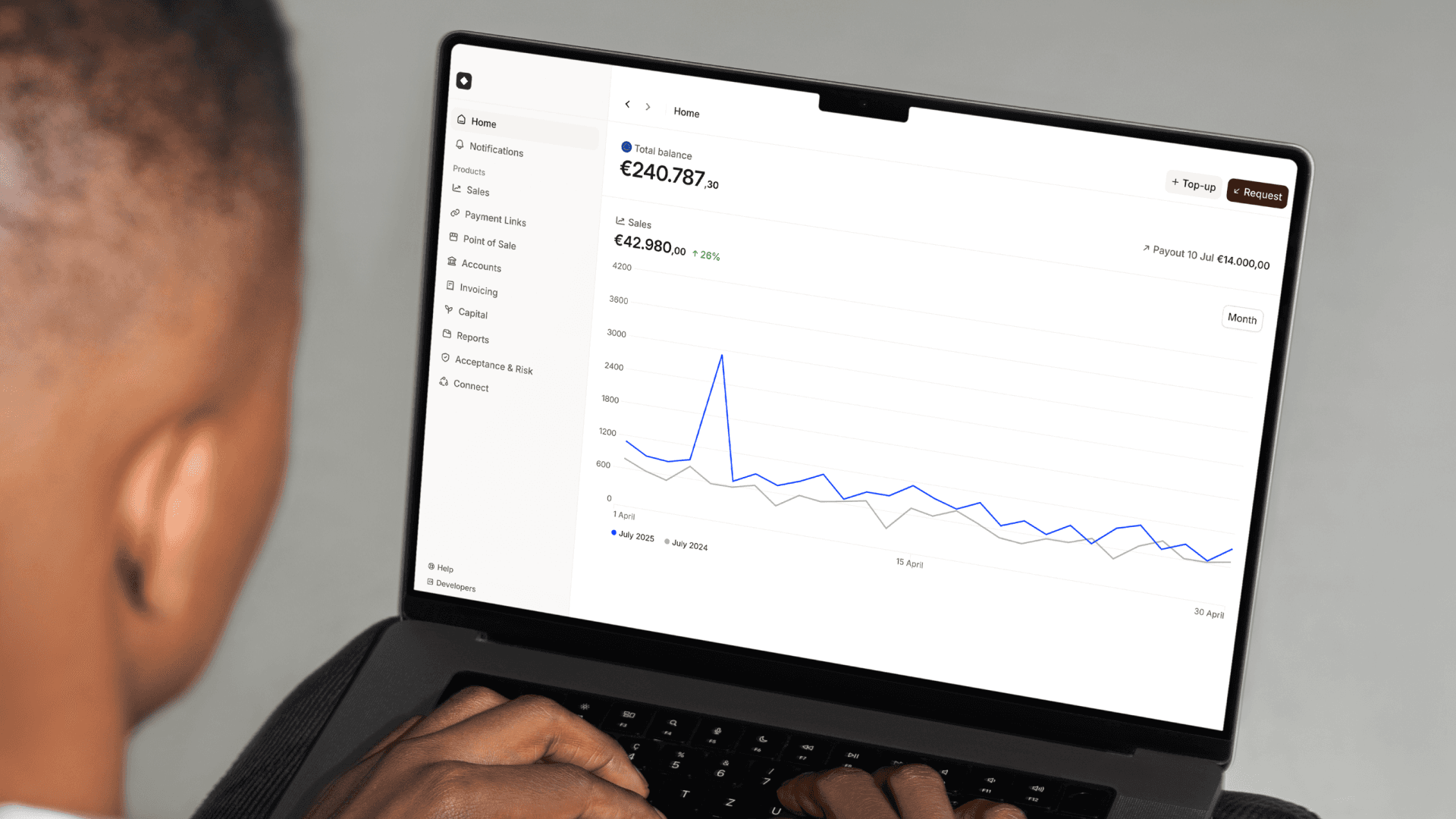
One dashboard: See every sale, online or in-person, in one app.
Mollie dashboard giving insights on your customers' payments
Faster payouts: No more waiting for different providers to pay you. You get one consolidated payout for all your sales.
Easy refunds: You can refund a customer’s in-store purchase directly from your dashboard, even if they aren’t in the shop.
Automated bookkeeping: Finance teams typically spend hours matching bank payouts to sales reports from multiple providers. Mollie does this for you. We automatically sync your transaction data so that every cent is accounted for across all your locations. This turns a week-long manual task into a real-time process, freeing your team to focus on strategic growth.
2. Take payments from any device, anywhere
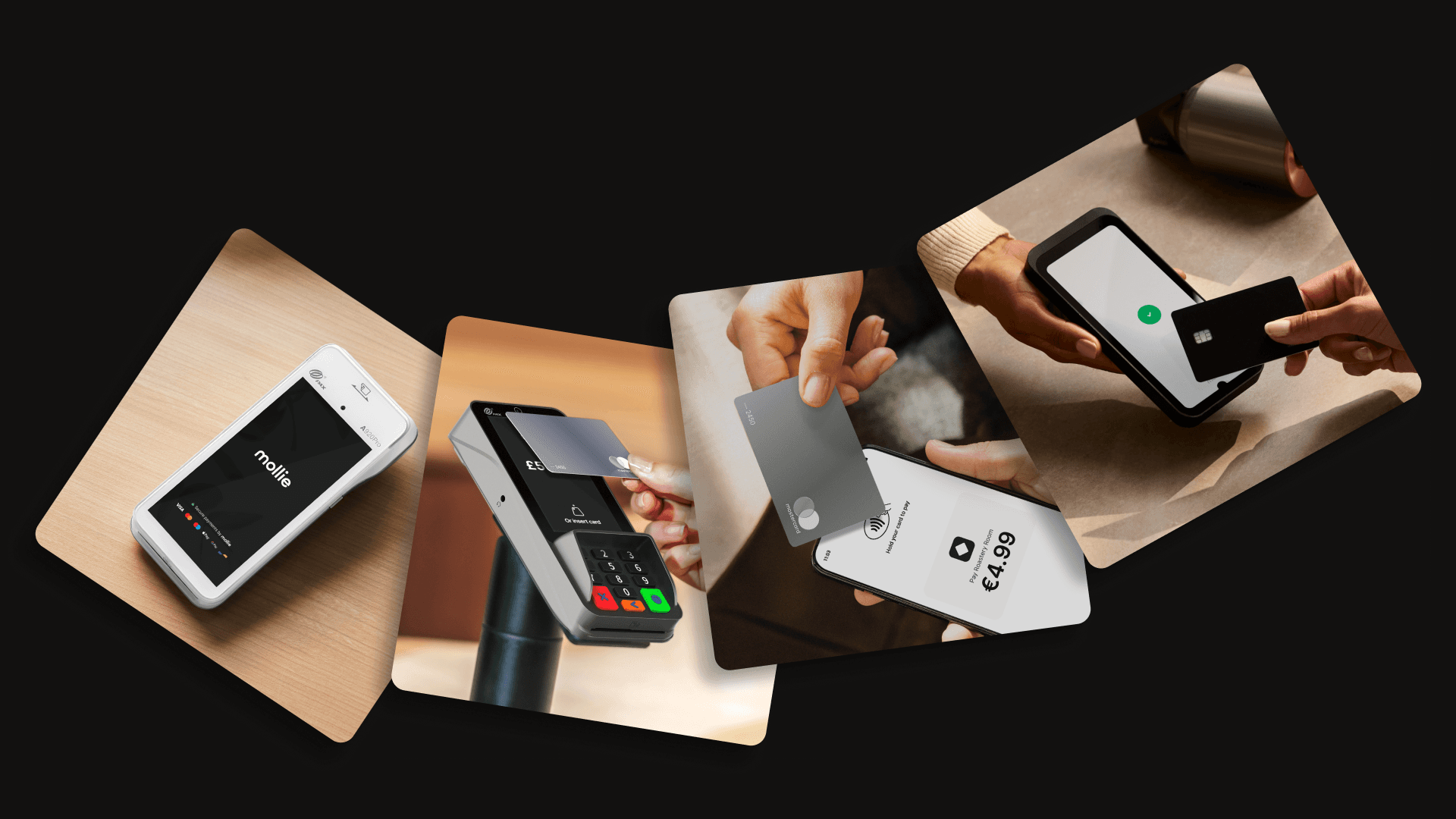
You can choose from various Mollie Terminals to manage any customer journey and accept payments seamlessly online, in-store, or on the go.
Mollie different terminals can address your different needs when it comes to processing payments
If you want to skip the hardware cycle entirely and scale instantly, you can use Mollie Terminal App. It turns your smartphone into a terminal. No extra devices needed, no expiring hardware, just your phone and your customers.
3. Modern hardware that stays current
Mollie Terminals comply with the latest PCI PTS v6 standards, so you will be secure and compliant through at least 2031.
What should you do next?
Check your terminals to see which models you’re using. If you’re on the EOL list, don’t wait for the fines to start rolling in or for the machine to stop working.
Akár nemzetközi szinten szeretnél növekedni, akár egy adott piacra fókuszálnál, minden lehetséges. A Mollie minden ismert fizetési módot támogat, így bárhol is legyél, fejlesztheted a vállalkozásod.