
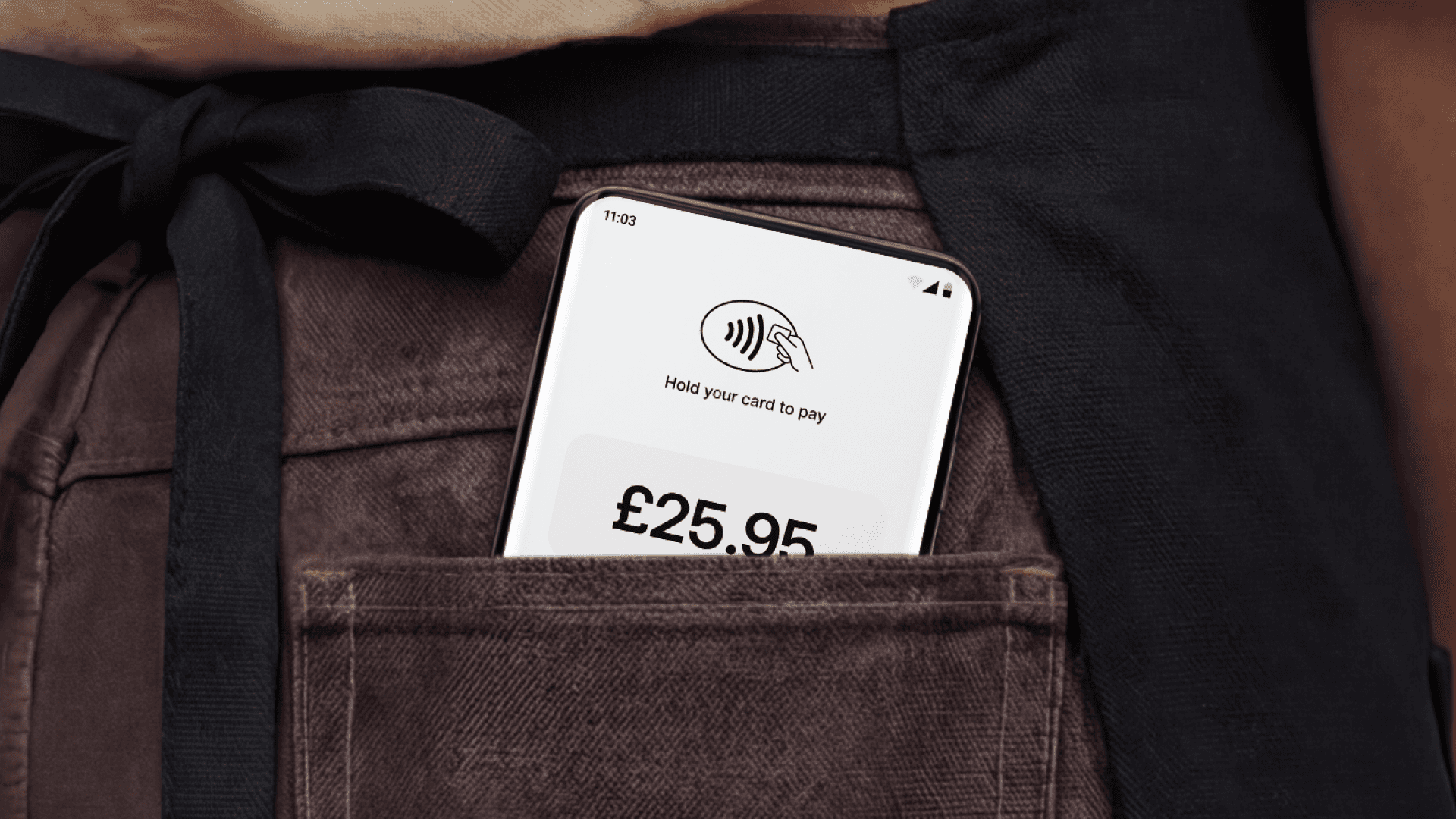
Mollie Tap: Get paid anytime, anywhere

Accept payments anywhere with Mollie Tap. Turn your phone into a terminal or use a dedicated device—no upfront costs, instant setup, and flexibility built for how you work.

Accept payments anywhere with Mollie Tap. Turn your phone into a terminal or use a dedicated device—no upfront costs, instant setup, and flexibility built for how you work.

blog banner showing Mollie e-invocing

You’re finishing a job at a customer’s house and your terminal’s back in your van. You’re running a pop-up and the queue stretches out the door. You’re taking orders on a packed terrace and the only card machine is nowhere to be seen. 

Traditional POS terminals solve a problem: they let you take payments. But they can also create problems: Fixed locations, high costs, unreliable connections. 

In-person payments shouldn’t dictate how you run your business. 

That’s why we built Mollie Tap.

One platform, two ways to take payments

Tap gives you the flexibility to accept in-person payments in the best way for you – using the devices you already own, or with a lightweight, durable terminal designed to work anywhere. It’s a single, secure payment platform built for full flexibility. 

Here’s how the two Tap options break down.

The Tap app – turn any device into a terminal 

If you’re managing a pop-up, working a busy event, or finishing a job on-site, you need ultimate mobility. The Tap app turns the devices you already own into a secure payment terminal. 

Because there's no physical hardware to buy or rent, you avoid upfront costs entirely. Deployment is instant. You just download the app, activate your account via the Mollie Dashboard, and start taking payments. Also, because we partner with leading business software providers, you can easily connect Tap to your existing POS or management systems to keep your entire operation running from one place.

The Tap terminal – built for high-volume sales 

Sometimes you need a dedicated device, but you need something smart, fast, and lightweight. That’s the Tap terminal. It comes out of the box ready to sell, with built-in 4G and Wi-Fi so you never lose a sale to a dead connection. Add in an all-day battery and a drop-resistant build, and you have a resilient piece of hardware that keeps payments flowing and any queue moving – from morning to night.

The Tap app and Tap terminal at a glance 

Feature

Mollie Tap app

Mollie Tap terminal

Primary hardware

Your own existing smartphone, tablet, kiosk, etc.

A dedicated, lightweight, durable physical terminal.

Upfront cost

Zero.
No hardware to buy or rent.

€95.
Ready to sell out of the box.

Connectivity

Relies on your device’s connection.

Dual connectivity: Built-in 4G and Wi-Fi for constant uptime.

Deployment speed

Instant. Download and start selling in 5 minutes.

Ready to use straight out of the box.

Durability

Dependent on your personal device.

Rugged design: Drop-resistant and splash-resistant.

Battery life

Dependent on your device’s battery.

Built for all-day trading on a single charge.

Best for

Pop-ups, mobile service jobs, and scaling checkouts instantly.

High-volume sales, countertop, or busy terraces.

Key advantage

Ultimate mobility with one less device to carry/charge.

Professional presence and optimised for volume.

Now the introductions are out of the way, let’s look at both options in more detail. 

Why choose the Tap app

No upfront hardware costs

Renting or buying a traditional terminal creates a fixed cost before you’ve even taken your first payment. With the Tap app, you pay per transaction. No rental fees, no purchase cost, and no commitment to hardware you might not need in six months.

Accept payments anywhere

Your phone goes where you go. That means payments can happen anywhere: in your shop, at a trade fair, in a customer’s kitchen, or at a pop-up event on Saturday.

Instant deployment

Traditional providers can take weeks to ship hardware. The Mollie Tap app takes about five minutes. Download, connect, and start selling before the rush hits. Whether you are setting up one phone for yourself or 10 devices for a mobile sales team, the process is instant.

One less device to carry

You or your team probably already use phones or handheld devices to check stock and message customers. The Tap app means fewer things to charge, fewer things to forget, and fewer things to replace when someone drops a device in the car park.

Why choose the Tap terminal

Reliable connectivity

With built-in 4G and Wi-Fi, you aren’t reliant on a single connection. If the shop Wi-Fi goes down, the terminal switches to 4G so you never miss a sale.

Purpose-built for speed

The terminal is optimised for one thing: payments. It’s fast, responsive, and handles back-to-back card taps without a hitch.

Resilient design

Busy environments are messy. The Tap terminal is drop- and splash-resistant, with a battery designed to last a full day of trading on a single charge.

Professional presence

For some businesses, having a dedicated payment device builds trust at the point of sale. It’s a clear, professional signal to your customers that you're ready to do business.

The Tap app vs the Tap terminal – which one do you need?

The Tap app is the right choice if you:

  • Want to use the smartphone you already own.

  • Need to scale up checkouts instantly for events or busy periods.

  • Prefer to avoid upfront hardware costs and pay per transaction.

  • Need a backup payment method that's always in your pocket.

The Tap terminal makes more sense if you:

  • Want a dedicated, professional standalone payment device.

  • Process high volumes of in-person transactions every day.

  • Need the security of dual 4G and Wi-Fi connectivity.

  • Want a rugged device built for the shop floor, the terrace or when you’re out and about.

Sell anywhere with Tap

For too long, taking in-person payments has meant clunky hardware, upfront costs, and being tied to a fixed spot. Mollie Tap removes those barriers. 

Whether you use the device already in your pocket or our dedicated hardware, you get a payment setup that adapts to how you work, not the other way around.

Ready to accept payments whenever and wherever you need to?

Explore Mollie Tap

Frequently asked questions:

Can I use the Tap app on my own or my employees' phones?

Yes, the Tap app can be deployed to as many devices as needed simultaneously. Simply have your staff download the app and scan a setup QR code from your Mollie Dashboard. This allows you to scale your checkout capacity in seconds, perfect for handling unexpected rushes, seasonal pop-ups, or expanding your field team without waiting for hardware to ship.

Do I need a new phone to use the Mollie Tap app?

Most modern smartphones are compatible. For iOS, you’ll need an iPhone running iOS 16.4 or later. For Android, your device must support NFC, have Google Play Services enabled, and run Android 11 or higher.

How quickly can I start taking payments?

With the Tap app, you can be up and running in about five minutes if you already have a Mollie account. Simply download the app and follow the 30-second setup. For the Tap terminal, you can start selling as soon as the device arrives; it comes pre-configured and ready to use out of the box.

Does Mollie Tap support PIN entry for large payments?

Yes. Both the app and the terminal are fully secure and support PIN entry when required by the customer’s bank, ensuring you can accept payments of any amount safely.

What happens if my Wi-Fi goes down during a sale?

This is where the Tap terminal shines. It features dual connectivity with built-in 4G and Wi-Fi. If your shop’s Wi-Fi fails, the terminal automatically switches to the cellular network so you never miss a transaction. If you’re using the Tap app, you’ll simply rely on your phone’s data plan.

Can I use both the app and the terminal for the same business?

Definitely. Many businesses use the Tap terminal at their main counter for high-volume sales and have the Tap app installed on staff phones to handle "queue busting" during busy periods or for taking payments on the go.

Stay up to date

Never miss an update. Receive product updates, news and customer stories right into your inbox.

Form fields

Table of contents

Table of contents

MollieGrowthMollie Tap: Get paid anytime, anywhere