Mollie: a alternativa à prova de futuro para o seu terminal obsoleto

A Mollie oferece várias opções para receber pagamentos no seu ponto de venda físico. A solução que você escolhe depende do seu negócio e da sua preferência pessoal.

A Mollie oferece várias opções para receber pagamentos no seu ponto de venda físico. A solução que você escolhe depende do seu negócio e da sua preferência pessoal.

26/02/2026

blog banner showing different terminals

Está a ser obrigado a procurar um novo terminal de pagamento agora que os dispositivos Yomani, Yoneo, Yoximo e Xenteo vão ser descontinuados? 


Provavelmente não estava à espera disso. 

Mas e se isto fosse uma oportunidade para mudar a gestão do seu dinheiro e preparar o seu negócio para o futuro? Reserve um momento para refletir sobre estas questões:

  • Valoriza eficiência e facilidade de uso?

  • Não quer o incómodo da instalação, mas sim um terminal pronto a usar que lhe permita receber pagamentos imediatamente?

  • Quer suporte de especialistas que falam a sua língua, 7 dias por semana?

  • Quer poupar tempo e custos reunindo todos os seus pagamentos numa única plataforma? 

  • Procura um parceiro que consiga acompanhar a evolução tecnológica a toda velocidade?

Não procure mais. A Mollie tem tudo o que precisa.

Soluções da Mollie para pagamentos presenciais

A Mollie oferece várias opções para receber pagamentos no seu ponto de venda físico. A solução que escolher depende do seu negócio e da sua preferência pessoal:

  • Pretende um dispositivo fixo ou móvel?

  • Quer ligar via wifi ou também via 4G

  • Quer imprimir um talão de caixa

  • Tem interesse em investir num dispositivo separado ou não?

Mollie Terminal: móvel ou fixo


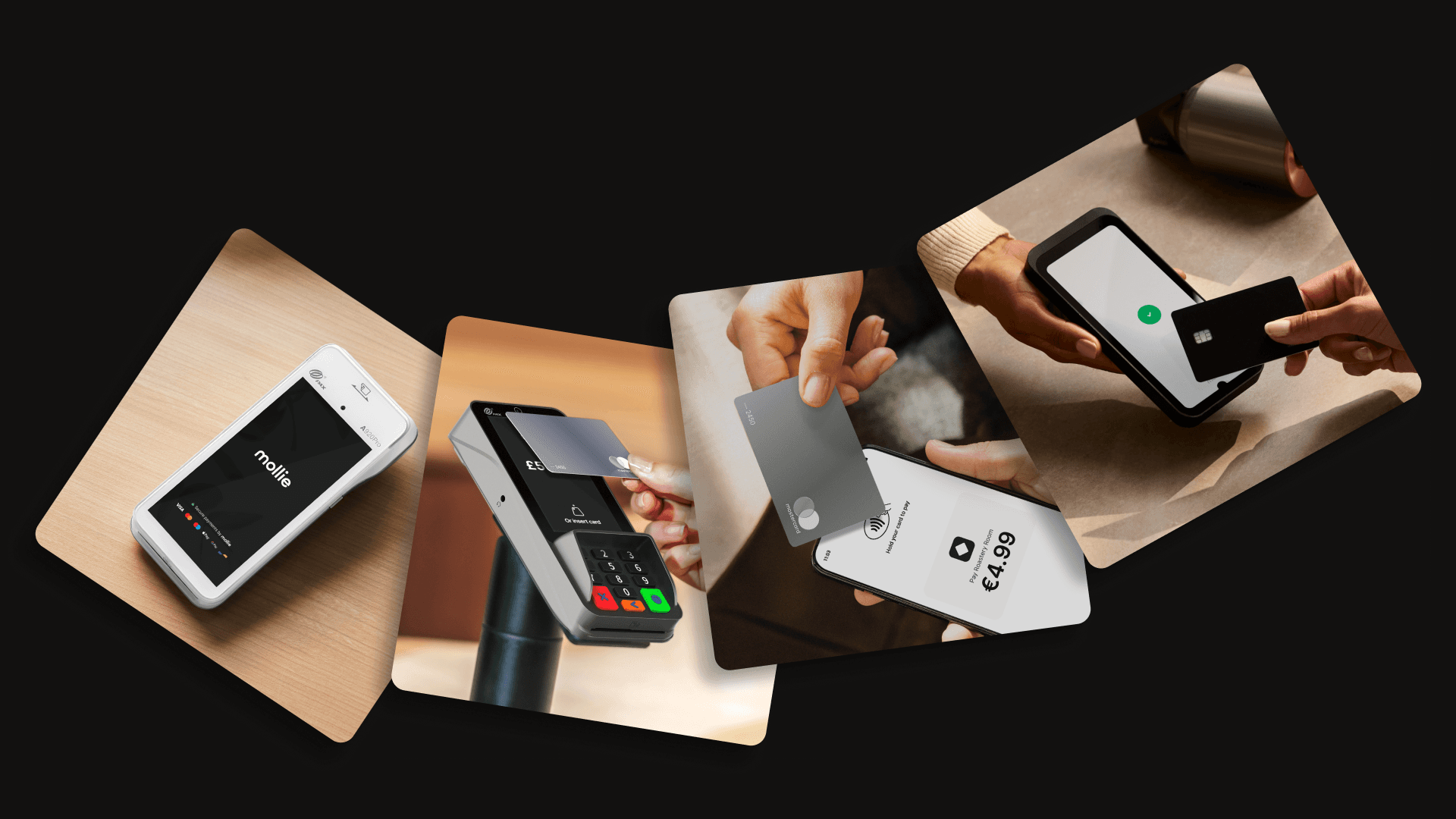
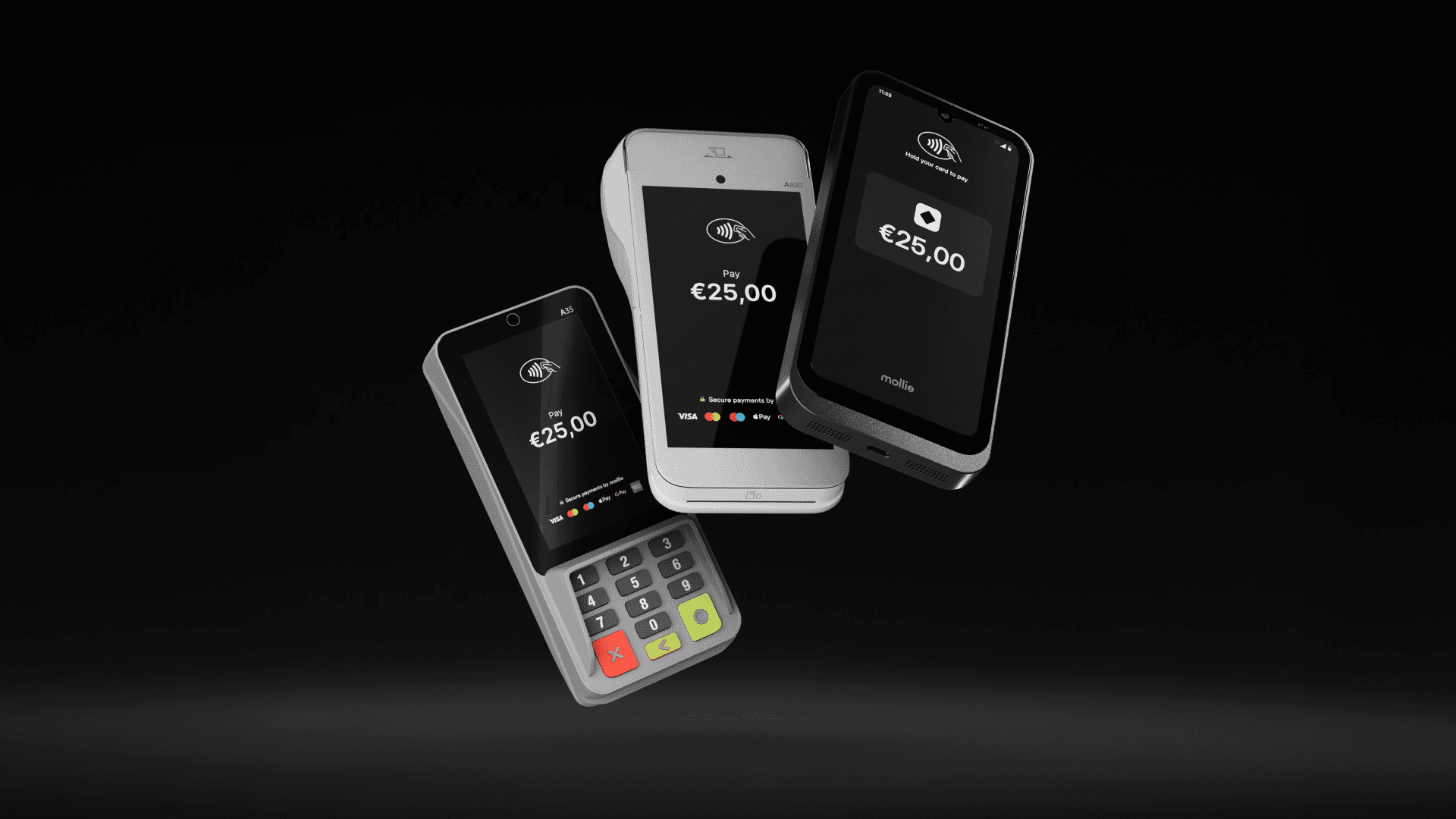
O Mollie Terminal é o nosso próprio terminal de pagamento que permite receber pagamentos em pontos de venda físicos. Existem duas versões: um terminal móvel (modelo A920 Pro) e um terminal fixo (modelo A35).


Clique aqui para saber mais sobre as nossas soluções de pagamento POS ou encomende o seu dispositivo através do Mollie Dashboard. 

Ainda não é cliente da Mollie? Então crie uma conta primeiro através deste link.

Tap to Pay (disponível a partir de maio de 2024)

Com o Tap to Pay, já não precisa de um dispositivo separado. Basta transformar o seu próprio smartphone ou tablet num terminal para receber pagamentos através de cartões de débito, cartões de crédito e carteiras digitais. De momento, o Tap to Pay está disponível apenas para dispositivos Android, mas a Mollie não seria a Mollie se a oferta não fosse expandida em breve (piscadela piscadela).


Saiba mais sobre o Tap to Pay aqui.

The risks of running EOL terminals

While the payment terminal will still function once it reaches EOL, there are some very real risks involved in doing so: 

No more security shields

The manufacturer stops releasing updates to protect against new types of fraud or hacking. If hackers find a new way in, your terminal won’t be able to stop them. 

Potential fines and rising costs

Using an EOL terminal often means you are no longer PCI compliant, which can have financial consequences:

  • Monthly penalties: Acquiring banks typically charge a PCI non-compliance fee. Depending on your provider and transaction volume, this can range from €20 to €100+ per month, per terminal, until the hardware is replaced.

  • Increased rates: Some processors apply higher risk-based transaction rates to merchants using legacy equipment to offset the danger of a breach.

Liability shift

If something goes wrong or a data breach happens on an expired device, the financial responsibility often falls on the business owner (you) rather than the provider.

  • Fraud responsibility: If you process a payment on a non-compliant or non-EMV (chip) terminal and it turns out to be fraudulent, the bank can charge back that amount to you. You lose both the goods sold and the payment.

  • Data breach costs: If a security breach is traced back to your EOL terminal, you could be held liable for forensic audits, card replacement fees for affected customers, and legal settlements – costs that can easily reach thousands of euros.

Repair issues

If an old terminal breaks down, spare parts and software fixes are no longer produced. Your checkout could simply stop working during a busy shift, leaving you with no way to take payments while you wait days for a replacement.

How do you know if your terminals are reaching EOL?

Your payment provider will usually send you a notification several months before a deadline, but it is always best to be proactive. You can verify your status in three ways:

  • Check the hardware sticker: Look at the back or underside of your terminal for the model name and PCI PTS version number.

  • Check your business statement: Many providers now include a non-compliance warning or fee line item if they detect you are using outdated hardware.

  • The PCI official list: Search for your specific model in the PCI Council’s official database. If the expiry date has passed, the terminal is officially EOL.

What terminals are reaching the end of life?

Here are the models currently heading for retirement in 2025, 2026 and 2027. If your device is on this list, it’s time to look at an upgrade.

Provider

Model 

PCI version

Expiration date

Payter

P65

PCI PTS v3

30 April 2025

Payter

P66

PCI PTS v3

30 April 2025

Worldline 

Yomano

PCI PTS v3

30 May 2025

Wordline

Yoximo/Yoneo/Xenteo

PCI PTS v4

30 May 2025

Worldline

Yomova 

PCI PTS v3

30 May 2025

Worldline

Yomani

PCI PTS v3

30 May 2025

Worldline

Yomani 

PCI PTS 4

30 April 2026 

Verifone 

VX680

PCI PTS 3

30 April 2026

Verifone

VX 820

PCI PTS 4

30 April 2026

Verifone

P400Plus/ P400Eth/ M400/ e285p/ 2280/ V400m/ V400c/ V240m/ UX300/ UX410

PCI PTS 5

30 April 2027

Ingenico

IWL 250 V3/ ICT 220 V3/ ICT 250 V3

PCI PTS 3

21 December 2027

What does the 2027 extension mean? 

While the official expiration for PCI PTS 5 devices was extended to 2027, many manufacturers have already stopped the sales and begun selling new versions as early as August 2025.

However, PCI PTS 5 devices can continue to process transactions until at least April 2029. To avoid being stuck with zombie hardware that works but never improves, it’s best to consider version 6 devices now.

What to do when your terminal reaches EOL

If your terminal is on the list, don’t panic, but don’t wait until the last minute either. Here’s a simple checklist to help you manage the transition without disrupting your business.

1. Audit your hardware

For a retail chain with locations across multiple countries, a manual walk-through of every store is rarely the most efficient approach. Instead, start with a digital audit. Most enterprise-level business portals allow you to export a CSV of your payment terminals, including model names, serial numbers, and current PCI versions.

However, digital records can sometimes be messy. If your portal data is outdated, you can go for a hybrid audit. Simply ask your store managers at all your locations to log the serial numbers and model names of every device onto a central drive. 

Then compare them with the EOL list above, or check with your provider to determine the exact number of units that need replacement.

This not only confirms which models are at risk but also helps you identify devices you may still be paying monthly rental fees for that are unused.

2. Choose your next-generation terminal

Use this as an opportunity to upgrade your customer experience. Ask yourself:

  • Do I want to stay with my current provider, or switch to a software solution like Tap to Pay?

  • Would a mobile terminal (like the Mollie A920 Pro) help me prevent queues at the counter?

If you decide to stay with your provider, contact them to ask about upgrade programs, trade-ins, or discounts. Some providers may offer incentives to switch to a compliant, updated terminal.

If you want to switch to different hardware, research other options that offer enhanced security and flexibility, including modern payment options.

Hardware vs Software limits

Traditional terminals are hardware-bound. This means their security is baked into the physical chip and casing. Once a specific hardware version’s certification expires, it cannot be renewed; the physical device itself becomes the limitation.

This is where modern SoftPOS (Software Point of Sale) solutions, like the Mollie Terminal App, are changing the game. By moving the security layer into software, these solutions aren’t limited by hardware-bound restrictions. The software simply updates to meet new standards, effectively ending the cycle of expiring hardware.

For a scaling retailer, this means:

  • Zero hardware expiry: Your terminal is an app that stays current through cloud updates.

  • Instant scalability: Need 10 extra checkouts for a pop-up in Antwerp or a seasonal rush in Rotterdam? Turn any Android device into a terminal in minutes.

  • The emergency POS: Soft POS acts as the perfect fail-safe. If your traditional infrastructure goes down, your staff can keep selling using their phones.

3. Decommission safely

You shouldn’t just throw an old terminal in the bin. Because these devices handled sensitive card data, they must be disposed of securely.

  • De-provisioning: Use the terminal settings to clear all data or deregister the device from your current provider. This ensures no business IDs or configuration data remain on the hardware.

  • The kill switch: Many modern terminals have a tamper-detection circuit that triggers if the device is opened. Ensure yours is officially retired in your provider’s portal.

  • Recycle responsibly: Terminals are electronic waste. Check whether your provider has a take-back scheme, or find a local certified e-waste recycler to ensure lithium batteries and circuit boards are handled sustainably.

4. Bridge the gap in your bookkeeping

One of the biggest headaches during a terminal switch is missing data between the old and new systems. Follow these steps to ensure all your data is secure: 

  • Download your legacy reports: Before you switch off your old provider, download at least 12 months of transaction history for your tax records.

  • Set up your unified dashboard: If you move to Mollie, take time to configure your store locations in the dashboard. This allows you to tag every transaction to a specific terminal or city, simplifying your end-of-month reconciliation.

  • Update your Self-Assessment Questionnaire (SAQ): Once your new terminals are active, remember to update your annual SAQ. If you’ve switched to a more modern, integrated solution like Mollie, this paperwork often becomes much shorter and easier to complete.

How Mollie makes the switch easy

We know you’d rather spend time growing your business than worrying about hardware certifications. That’s why we’ve made our terminal solutions simple and future-proof.

1. Everything in one place

When you switch to Mollie omnichannel payment solutions, your online shop and your physical store finally talk to each other. You gain a single point of contact for all your payment needs, online and in-store.

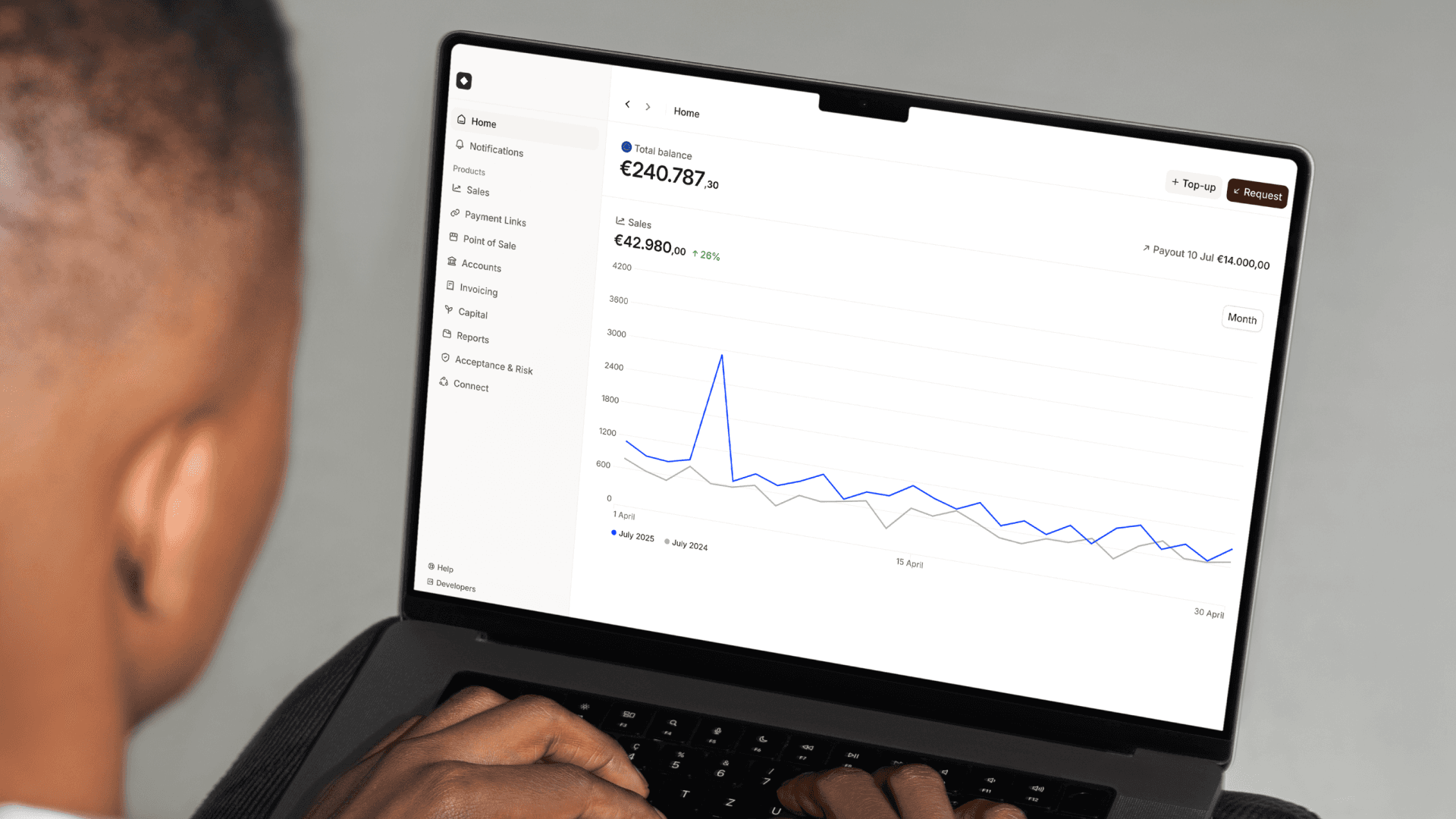
  • One dashboard: See every sale, online or in-person, in one app.

  • Faster payouts: No more waiting for different providers to pay you. You get one consolidated payout for all your sales.

  • Easy refunds: You can refund a customer’s in-store purchase directly from your dashboard, even if they aren’t in the shop.

  • Automated bookkeeping: Finance teams typically spend hours matching bank payouts to sales reports from multiple providers. Mollie does this for you. We automatically sync your transaction data so that every cent is accounted for across all your locations. This turns a week-long manual task into a real-time process, freeing your team to focus on strategic growth.

2. Take payments from any device, anywhere

You can choose from various Mollie Terminals to manage any customer journey and accept payments seamlessly online, in-store, or on the go. 

If you want to skip the hardware cycle entirely and scale instantly, you can use Mollie Terminal App. It turns your smartphone into a terminal. No extra devices needed, no expiring hardware, just your phone and your customers. 

3. Modern hardware that stays current

Mollie Terminals comply with the latest PCI PTS v6 standards, so you will be secure and compliant through at least 2031.

What should you do next?

Check your terminals to see which models you’re using. If you’re on the EOL list, don’t wait for the fines to start rolling in or for the machine to stop working.

Ready to upgrade? Explore Mollie’s terminal options

Fica atualizado

Nunca percas uma atualização. Recebe atualizações de produtos, notícias e histórias de clientes diretamente na tua caixa de entrada.

Form fields

Índice

Índice

MollieCrescimentoMollie: a alternativa à prova de futuro para o seu terminal obsoleto