
Understanding payment rates: Your complete guide

Master different payment rates in our guide. Learn how to calculate these metrics and optimise your checkout to boost revenue.

Master different payment rates in our guide. Learn how to calculate these metrics and optimise your checkout to boost revenue.

payment rates blog image

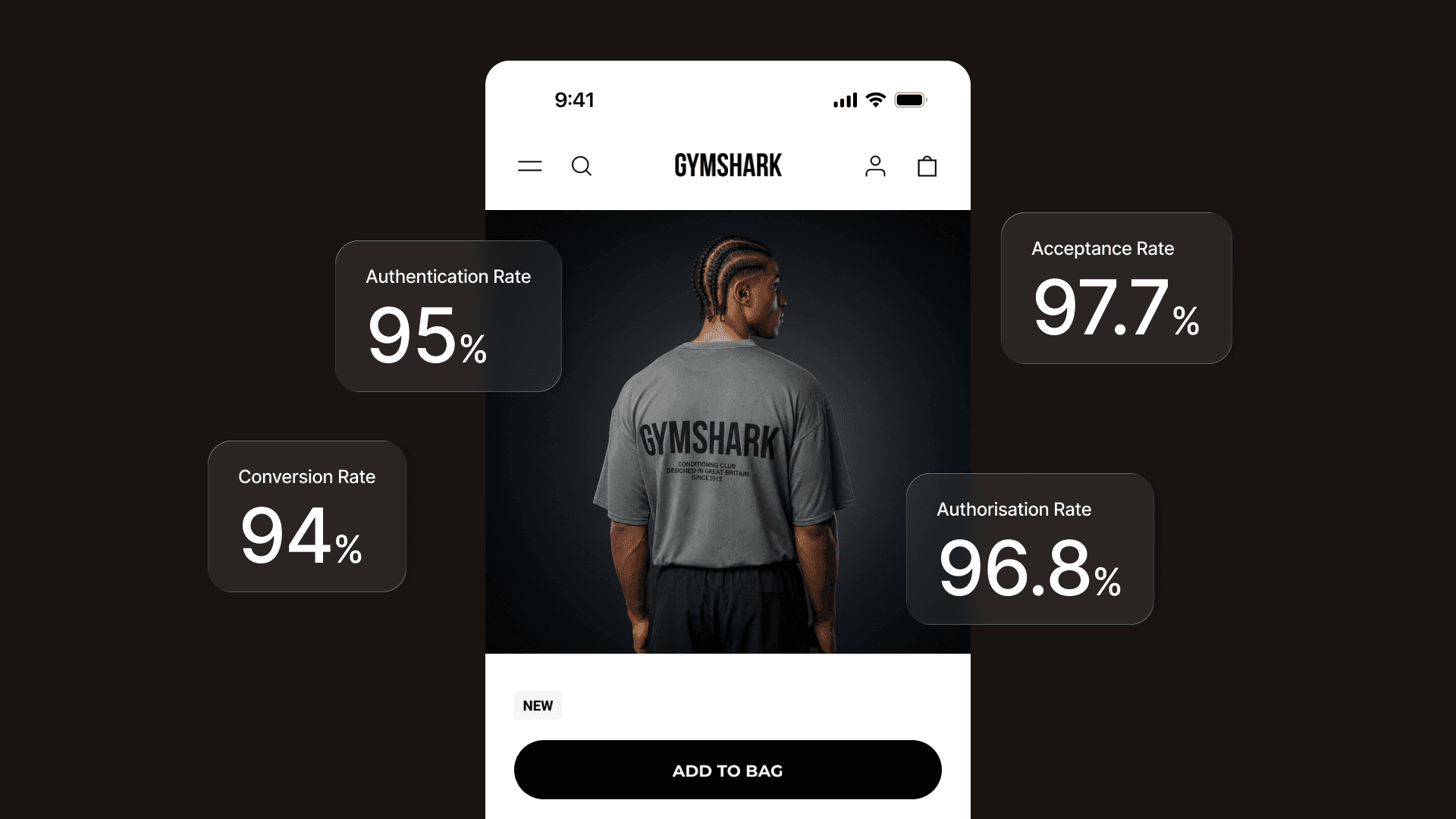
Authorisation, acceptance, conversion... when you’re looking at your payment data, these terms often feel like a puzzle. They sound similar, yet each one tells a completely different story about your business health.

Understanding these metrics is the first step to growing your revenue. If you don’t know where your customers are dropping off, you can’t fix the journey. In this guide, we’ll explore these concepts with simple explanations and show you how to use them to boost your bottom line.

Understanding payment rates

While fees are important, they are only half of the story. The other half is your payment acceptance rate, the percentage of attempted payments that actually end up in your bank account.

These are the four most important metrics you need to consider:

  1. Authentication rate

Verifies that the person paying is the legitimate owner via 3D Secure (3DS). 

The authentication rate measures the effectiveness of the 3DS authentication process: the higher it is, the more confident you can be that the transactions on your site are legitimate. A high authentication rate prevents fraudulent attempts while enabling secure payments.

How to calculate authentication rate: Divide the number of successfully authenticated payments by the total number of payments that required authentication.

(Successful 3DS Authentications ÷ Total 3DS Attempts) x 100

What it means: A high authentication rate means your security is working smoothly, stopping fraudsters without blocking real customers.

  1. Payment authorisation rate

Once a customer is authenticated, the transaction is routed to the card networks (such as Visa or Mastercard). The payment authorisation rate is the proportion of transactions these networks actually approve.

Your payment service provider (PSP) acts as the messenger here, sending data to the bank and bringing back a ‘yes’ or ‘no.’ 

How to calculate authorisation rate: Divide the number of transactions approved by the card networks by the total number of transactions submitted to those networks (the ones that passed or skipped the 3DS step).

(Approved Transactions ÷ Total Transactions Submitted to Networks) x 100

What it means: A high authorisation rate indicates that your transactions are trusted by banks, resulting in a seamless experience for your buyers.

  1. Conversion rate

This is the ultimate indicator of your business performance. It reflects the proportion of successful payments compared to every single attempt made on your site.

Unlike other rates, the conversion rate accounts for everything: security checks, technical errors, and even the moments a customer hesitates and lets their session expire. 

How to calculate conversion rate: Divide the total number of successful payments by the total number of payment requests (every time a customer clicks pay).

(Successful Payments ÷ Total Payment Requests) x 100

What it means: A high conversion rate means that you’ve built a checkout experience that has removed the friction that loses sales, ensuring visitors are more likely to make a purchase.

  1. Acceptance rate

The payment acceptance rate focuses on the final outcome for each unique customer. It measures whether a buyer ultimately completed their purchase, regardless of how many tries it took.

For example, if a customer’s first card is declined but they immediately succeed using a different card or a Buy Now, Pay Later option like Klarna, it counts as a 100% success for that user. 

How to calculate acceptance rate: Divide the number of unique customers who successfully completed a purchase by the total number of unique customers who attempted to pay.

(Successful Unique Customers ÷ Total Unique Customers Who Attempted to Pay) x 100

What it means: This is a great metric for measuring overall business growth and customer satisfaction.

Comparing acceptance rate vs conversion rate

The key difference lies in the journey. The acceptance rate shows you the destination (did they eventually pay?), while the conversion rate reflects the buyer journey (how easy was it?).

If you have a high acceptance rate but a low conversion rate, it’s a signal worth investigating. It could mean your customers are persistent, but they are struggling with declines or glitches before finally getting through. 

Monitoring both allows you to see not only that you’re getting paid, but also how easily your customers can pay you.

Why these rates matter for your revenue

While fees are a big part of your costs, your payment rates are what drive your income. Even a 1% increase in your payment acceptance rate optimisation can lead to thousands in extra revenue without you needing to spend more on marketing.

Several factors can impact these approval rates:

  • Fraud checks: Overly sensitive filters might block legitimate sales.

  • Issuer rules: Different banks have different risk appetites.

  • Payment retries: How your provider handles a temporary technical glitch.

How to optimise acceptance and conversion rates

Optimising for acceptance and conversion is one of the most powerful levers for revenue. Here’s how you can start improving your numbers today:

  1. Provide a seamless checkout: Minimise steps, ensure your site is mobile-responsive, and enable guest checkouts. Every extra form field is a chance for a customer to leave.

  2. Offer local payment methods: People trust what they know. Offering iDEAL in the Netherlands, Bancontact in Belgium, or Cartes Bancaires in France reduces hesitation. Mollie makes it easy to accept 25+ leading payment methods automatically based on your customer’s location.

  3. Use Buy Now, Pay Later (BNPL): If transactions fail due to insufficient funds, options like Klarna allow customers to spread the cost while you get paid immediately.

  4. Use smart routing and 3DS Tools: Not all payment failures are the customer’s fault. Sometimes, technical glitches or overly sensitive fraud filters block legitimate sales. Smart routing automatically retries failed payments across different bank connections to identify the one most likely to succeed.

Ready to improve your checkout?

At Mollie, our Acceptance & Risk features use advanced algorithms to assess risk in real-time. This helps you reduce unnecessary 3DS interruptions for low-risk customers while keeping security tight.

The cosmetics brand Respire used these tools to increase its payment conversion rate by 14.5% in just one year. As Alice Lafont, Finance Manager at Respire, says: “Mollie has simplified managing different payment methods... we benefit from personalised support and reporting."

A few small changes can make a massive difference to your bottom line. Read our complete guide to ecommerce checkout optimisation to learn more.

FAQs

What is a good payment authorisation rate?

There isn’t a single perfect number because it varies by industry and region. However, for most European ecommerce businesses, a healthy authorisation rate typically sits between 90% and 95%. If yours is lower, it might be time to look at your fraud settings or the payment methods you offer.

Why was a payment declined if the customer has enough money?

It’s frustrating, but it happens. Banks use automated risk engines to protect their customers. A transaction might be declined if the bank finds the purchase unusual, if the customer is using a VPN, or if the security check (3DS) wasn’t completed correctly. Using a provider with smart routing helps reduce these false declines.

Does 3DS security always lower my conversion rate?

It can add a little friction, but it’s a vital tool for trust and security. With the right setup, like Mollie’s Acceptance & Risk, you can use dynamic 3DS. This means the security check appears only when truly necessary, keeping the journey smooth for low-risk customers while remaining secure.

Can I see these rates in my Mollie Dashboard?

Yes. You can track your successful transactions and see real-time data directly in your Mollie Dashboard. This helps you spot trends, understand customer behaviour, and make informed decisions to grow your business.

Stay up to date

Never miss an update. Receive product updates, news and customer stories right into your inbox.

Form fields

Table of contents

Table of contents

Improve your checkout

Our Acceptance & Risk features use advanced algorithms to assess risk in real-time

MollieGrowthUnderstanding payment rates: Your complete guide