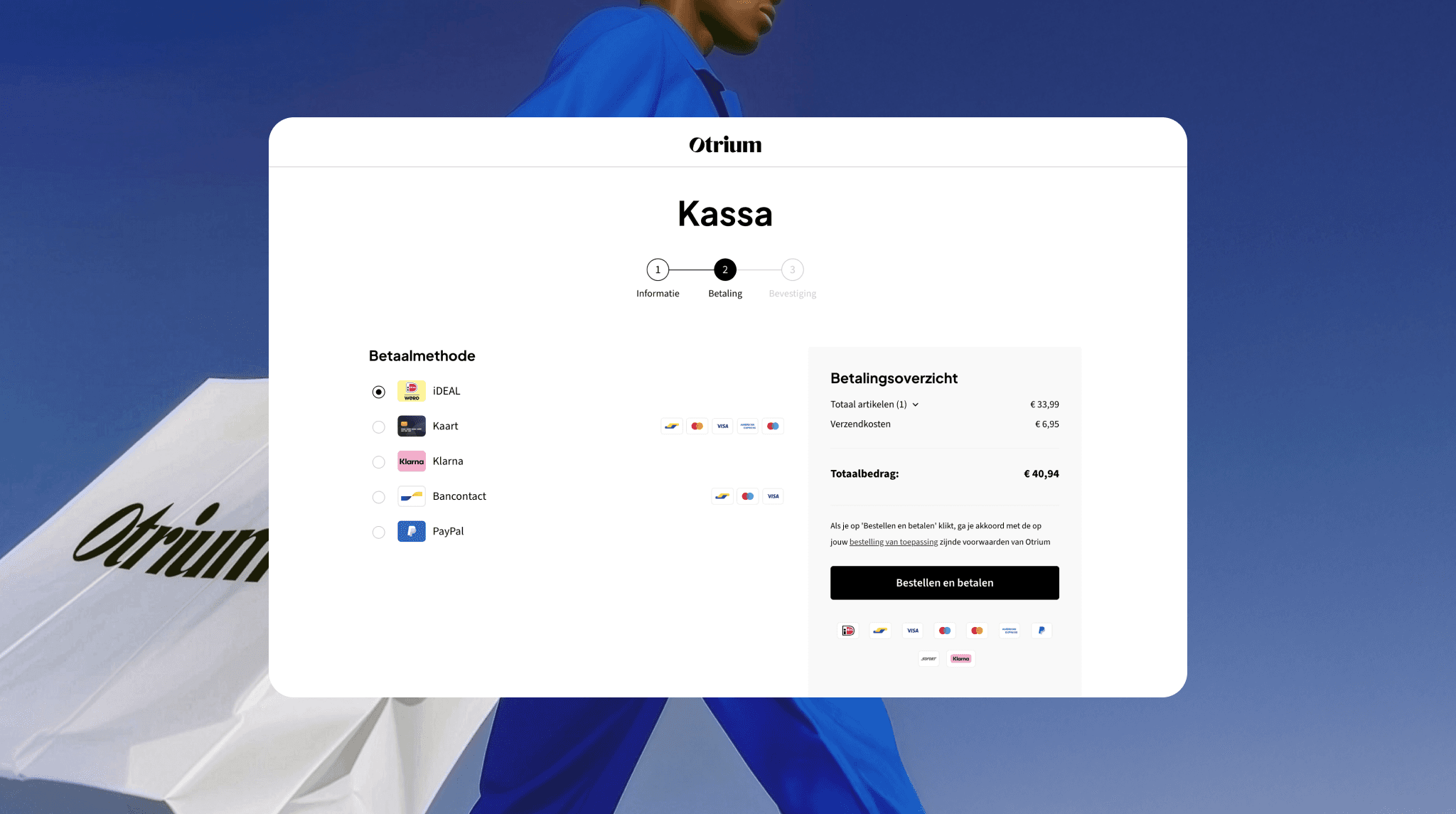
The complete guide to conversion rate optimisation in ecommerce

Discover how to optimise your ecommerce checkout process and drive conversion rate with practical tips and examples.

Discover how to optimise your ecommerce checkout process and drive conversion rate with practical tips and examples.

Jan 19, 2026

Cart abandonment is a headache for all online retailers. Another is seeing high website traffic without corresponding sales. It’s great to get noticed, but it’s not so wonderful when that attention doesn’t help bolster the bottom line.

If that is the case, it means your conversion rate, or the number of leads that convert into paying customers, is low. Although you might attract strong leads, something on your site is preventing potential customers from completing their purchase.

How can you best improve the buying experience and boost the conversion rate?

This comprehensive guide will help you answer these questions by exploring the key reasons for cart abandonment and sharing best practices to optimise the conversion rate, supported by success stories from leading European businesses.

Cart abandonment is a headache for all online retailers. Another is seeing high website traffic without corresponding sales. It’s great to get noticed, but it’s not so wonderful when that attention doesn’t help bolster the bottom line.

If that is the case, it means your conversion rate, or the number of leads that convert into paying customers, is low. Although you might attract strong leads, something on your site is preventing potential customers from completing their purchase.

How can you best improve the buying experience and boost the conversion rate?

This comprehensive guide will help you answer these questions by exploring the key reasons for cart abandonment and sharing best practices to optimise the conversion rate, supported by success stories from leading European businesses.

Cart abandonment is a headache for all online retailers. Another is seeing high website traffic without corresponding sales. It’s great to get noticed, but it’s not so wonderful when that attention doesn’t help bolster the bottom line.

If that is the case, it means your conversion rate, or the number of leads that convert into paying customers, is low. Although you might attract strong leads, something on your site is preventing potential customers from completing their purchase.

How can you best improve the buying experience and boost the conversion rate?

This comprehensive guide will help you answer these questions by exploring the key reasons for cart abandonment and sharing best practices to optimise the conversion rate, supported by success stories from leading European businesses.

Cart abandonment is a headache for all online retailers. Another is seeing high website traffic without corresponding sales. It’s great to get noticed, but it’s not so wonderful when that attention doesn’t help bolster the bottom line.

If that is the case, it means your conversion rate, or the number of leads that convert into paying customers, is low. Although you might attract strong leads, something on your site is preventing potential customers from completing their purchase.

How can you best improve the buying experience and boost the conversion rate?

This comprehensive guide will help you answer these questions by exploring the key reasons for cart abandonment and sharing best practices to optimise the conversion rate, supported by success stories from leading European businesses.

What is ecommerce conversion rate?

Conversion rate is a key performance indicator (KPI) that is widely used in online marketing. It expresses the percentage of website visitors who convert. ‘Conversion’ refers to the transformation of a potential customer (or ‘lead’) into an actual customer.

However, conversion may also refer to actions other than completing a purchase. You might have different conversion goals, such as getting leads to sign up for your newsletter or download your content.

The ecommerce conversion rate refers to the percentage of website visitors who complete a desired action, typically a purchase.

Why is ecommerce conversion rate important? 

Your ecommerce conversion rate is a vital indicator of your online shop’s success; without effective communication of value or a smooth user experience, even high traffic won’t convert into customers. 

Tracking conversion rates over time is essential for measuring the tangible impact of improvements across your website, product descriptions, checkout process, and other factors that affect your bottom line.  

Is ecommerce conversion rate optimisation worth the effort?

Ecommerce conversion rate optimisation (CRO) transforms your website visitors into paying customers, enabling you to maximise the return on your current marketing and traffic-generation efforts.

Here are just some of the benefits of CRO:

  • Lower acquisition costs: By optimising the conversion path for current visitors, you can reduce the cost per acquisitionand maximise return on advertising spend.

  • Leverage existing traffic: Optimising conversion rate ensures you make the most of the users already coming to your site, making your marketing campaigns more effective and profitable.

  • Improve user experience (UX) and brand trust: By creating a clear, functional, and easy-to-use website, you deliver a better overall experience, strengthening brand reputation and customer confidence.

How to calculate ecommerce conversion rate

Here’s how to calculate the proportion of overall website visits that result in successful checkout conversions (sales):

Conversion rate = (Number of purchases ÷ Number of visitors) x 100

For example, if you have 10,000 visitors to your site and 200 of them make a purchase, your conversion rate is 2%.

That may seem low, but if you can make a few small improvements to your site and push the conversion rate to 3%, you'll get 100 extra sales from the same amount of traffic.

What is a good ecommerce conversion rate?

The average ecommerce conversion rate globally hovers between 2% and 3%, with significant variation across devices and industries. 

For a more accurate guide, look at conversion rates specific to your industry or sector, or, better yet, use your own first-party data. 

You can also perform a cost-benefit analysis to ensure your online sales are profitable. Once you confirm profitability, focus on improving your site’s performance. A smart approach is to use the conversion rate of your best-performing product category as an internal benchmark and aim to raise all other categories to that level. 

Ecommerce conversion rate benchmarks, by industry 

The two go-to sources for researching conversion rates are Dynamic Yield and IRP.

Dynamic Yield is an AI-powered platform owned by Mastercard that provides conversion rates aggregated across 200M+ monthly unique users from 400+ brands. And IRP is a profit-focused, enterprise-level ecommerce platform and service ecosystem based in Northern Ireland. 

The table below shows average conversion rates across industries, based on Dynamic Yield and IRP data. 

Industry

Dynamic Field (2025)
Average conversion rate

IRP (2025)

Food & Beverage

6.02%

1.65%

Beauty & Personal Care

5.74%

3.37%

Pet Care & Veterinary Services

3.2%

2.66%

Fashion, Accessories, and Apparel

3.13%

2.00%

Consumer goods

2.89%

3.32%

Home & Furniture

1.46%

3.32%

Luxury & Jewelry

0.95%

2.00%

If you’re wondering why they have such different results, it’s because many variables affect other markets, categories, audiences, and even brand identities. Your first-person data will always provide a better guide for your business.

Conversion rate is a key performance indicator (KPI) that is widely used in online marketing. It expresses the percentage of website visitors who convert. ‘Conversion’ refers to the transformation of a potential customer (or ‘lead’) into an actual customer.

However, conversion may also refer to actions other than completing a purchase. You might have different conversion goals, such as getting leads to sign up for your newsletter or download your content.

The ecommerce conversion rate refers to the percentage of website visitors who complete a desired action, typically a purchase.

Why is ecommerce conversion rate important? 

Your ecommerce conversion rate is a vital indicator of your online shop’s success; without effective communication of value or a smooth user experience, even high traffic won’t convert into customers. 

Tracking conversion rates over time is essential for measuring the tangible impact of improvements across your website, product descriptions, checkout process, and other factors that affect your bottom line.  

Is ecommerce conversion rate optimisation worth the effort?

Ecommerce conversion rate optimisation (CRO) transforms your website visitors into paying customers, enabling you to maximise the return on your current marketing and traffic-generation efforts.

Here are just some of the benefits of CRO:

  • Lower acquisition costs: By optimising the conversion path for current visitors, you can reduce the cost per acquisitionand maximise return on advertising spend.

  • Leverage existing traffic: Optimising conversion rate ensures you make the most of the users already coming to your site, making your marketing campaigns more effective and profitable.

  • Improve user experience (UX) and brand trust: By creating a clear, functional, and easy-to-use website, you deliver a better overall experience, strengthening brand reputation and customer confidence.

How to calculate ecommerce conversion rate

Here’s how to calculate the proportion of overall website visits that result in successful checkout conversions (sales):

Conversion rate = (Number of purchases ÷ Number of visitors) x 100

For example, if you have 10,000 visitors to your site and 200 of them make a purchase, your conversion rate is 2%.

That may seem low, but if you can make a few small improvements to your site and push the conversion rate to 3%, you'll get 100 extra sales from the same amount of traffic.

What is a good ecommerce conversion rate?

The average ecommerce conversion rate globally hovers between 2% and 3%, with significant variation across devices and industries. 

For a more accurate guide, look at conversion rates specific to your industry or sector, or, better yet, use your own first-party data. 

You can also perform a cost-benefit analysis to ensure your online sales are profitable. Once you confirm profitability, focus on improving your site’s performance. A smart approach is to use the conversion rate of your best-performing product category as an internal benchmark and aim to raise all other categories to that level. 

Ecommerce conversion rate benchmarks, by industry 

The two go-to sources for researching conversion rates are Dynamic Yield and IRP.

Dynamic Yield is an AI-powered platform owned by Mastercard that provides conversion rates aggregated across 200M+ monthly unique users from 400+ brands. And IRP is a profit-focused, enterprise-level ecommerce platform and service ecosystem based in Northern Ireland. 

The table below shows average conversion rates across industries, based on Dynamic Yield and IRP data. 

Industry

Dynamic Field (2025)
Average conversion rate

IRP (2025)

Food & Beverage

6.02%

1.65%

Beauty & Personal Care

5.74%

3.37%

Pet Care & Veterinary Services

3.2%

2.66%

Fashion, Accessories, and Apparel

3.13%

2.00%

Consumer goods

2.89%

3.32%

Home & Furniture

1.46%

3.32%

Luxury & Jewelry

0.95%

2.00%

If you’re wondering why they have such different results, it’s because many variables affect other markets, categories, audiences, and even brand identities. Your first-person data will always provide a better guide for your business.

Conversion rate is a key performance indicator (KPI) that is widely used in online marketing. It expresses the percentage of website visitors who convert. ‘Conversion’ refers to the transformation of a potential customer (or ‘lead’) into an actual customer.

However, conversion may also refer to actions other than completing a purchase. You might have different conversion goals, such as getting leads to sign up for your newsletter or download your content.

The ecommerce conversion rate refers to the percentage of website visitors who complete a desired action, typically a purchase.

Why is ecommerce conversion rate important? 

Your ecommerce conversion rate is a vital indicator of your online shop’s success; without effective communication of value or a smooth user experience, even high traffic won’t convert into customers. 

Tracking conversion rates over time is essential for measuring the tangible impact of improvements across your website, product descriptions, checkout process, and other factors that affect your bottom line.  

Is ecommerce conversion rate optimisation worth the effort?

Ecommerce conversion rate optimisation (CRO) transforms your website visitors into paying customers, enabling you to maximise the return on your current marketing and traffic-generation efforts.

Here are just some of the benefits of CRO:

  • Lower acquisition costs: By optimising the conversion path for current visitors, you can reduce the cost per acquisitionand maximise return on advertising spend.

  • Leverage existing traffic: Optimising conversion rate ensures you make the most of the users already coming to your site, making your marketing campaigns more effective and profitable.

  • Improve user experience (UX) and brand trust: By creating a clear, functional, and easy-to-use website, you deliver a better overall experience, strengthening brand reputation and customer confidence.

How to calculate ecommerce conversion rate

Here’s how to calculate the proportion of overall website visits that result in successful checkout conversions (sales):

Conversion rate = (Number of purchases ÷ Number of visitors) x 100

For example, if you have 10,000 visitors to your site and 200 of them make a purchase, your conversion rate is 2%.

That may seem low, but if you can make a few small improvements to your site and push the conversion rate to 3%, you'll get 100 extra sales from the same amount of traffic.

What is a good ecommerce conversion rate?

The average ecommerce conversion rate globally hovers between 2% and 3%, with significant variation across devices and industries. 

For a more accurate guide, look at conversion rates specific to your industry or sector, or, better yet, use your own first-party data. 

You can also perform a cost-benefit analysis to ensure your online sales are profitable. Once you confirm profitability, focus on improving your site’s performance. A smart approach is to use the conversion rate of your best-performing product category as an internal benchmark and aim to raise all other categories to that level. 

Ecommerce conversion rate benchmarks, by industry 

The two go-to sources for researching conversion rates are Dynamic Yield and IRP.

Dynamic Yield is an AI-powered platform owned by Mastercard that provides conversion rates aggregated across 200M+ monthly unique users from 400+ brands. And IRP is a profit-focused, enterprise-level ecommerce platform and service ecosystem based in Northern Ireland. 

The table below shows average conversion rates across industries, based on Dynamic Yield and IRP data. 

Industry

Dynamic Field (2025)
Average conversion rate

IRP (2025)

Food & Beverage

6.02%

1.65%

Beauty & Personal Care

5.74%

3.37%

Pet Care & Veterinary Services

3.2%

2.66%

Fashion, Accessories, and Apparel

3.13%

2.00%

Consumer goods

2.89%

3.32%

Home & Furniture

1.46%

3.32%

Luxury & Jewelry

0.95%

2.00%

If you’re wondering why they have such different results, it’s because many variables affect other markets, categories, audiences, and even brand identities. Your first-person data will always provide a better guide for your business.

Conversion rate is a key performance indicator (KPI) that is widely used in online marketing. It expresses the percentage of website visitors who convert. ‘Conversion’ refers to the transformation of a potential customer (or ‘lead’) into an actual customer.

However, conversion may also refer to actions other than completing a purchase. You might have different conversion goals, such as getting leads to sign up for your newsletter or download your content.

The ecommerce conversion rate refers to the percentage of website visitors who complete a desired action, typically a purchase.

Why is ecommerce conversion rate important? 

Your ecommerce conversion rate is a vital indicator of your online shop’s success; without effective communication of value or a smooth user experience, even high traffic won’t convert into customers. 

Tracking conversion rates over time is essential for measuring the tangible impact of improvements across your website, product descriptions, checkout process, and other factors that affect your bottom line.  

Is ecommerce conversion rate optimisation worth the effort?

Ecommerce conversion rate optimisation (CRO) transforms your website visitors into paying customers, enabling you to maximise the return on your current marketing and traffic-generation efforts.

Here are just some of the benefits of CRO:

  • Lower acquisition costs: By optimising the conversion path for current visitors, you can reduce the cost per acquisitionand maximise return on advertising spend.

  • Leverage existing traffic: Optimising conversion rate ensures you make the most of the users already coming to your site, making your marketing campaigns more effective and profitable.

  • Improve user experience (UX) and brand trust: By creating a clear, functional, and easy-to-use website, you deliver a better overall experience, strengthening brand reputation and customer confidence.

How to calculate ecommerce conversion rate

Here’s how to calculate the proportion of overall website visits that result in successful checkout conversions (sales):

Conversion rate = (Number of purchases ÷ Number of visitors) x 100

For example, if you have 10,000 visitors to your site and 200 of them make a purchase, your conversion rate is 2%.

That may seem low, but if you can make a few small improvements to your site and push the conversion rate to 3%, you'll get 100 extra sales from the same amount of traffic.

What is a good ecommerce conversion rate?

The average ecommerce conversion rate globally hovers between 2% and 3%, with significant variation across devices and industries. 

For a more accurate guide, look at conversion rates specific to your industry or sector, or, better yet, use your own first-party data. 

You can also perform a cost-benefit analysis to ensure your online sales are profitable. Once you confirm profitability, focus on improving your site’s performance. A smart approach is to use the conversion rate of your best-performing product category as an internal benchmark and aim to raise all other categories to that level. 

Ecommerce conversion rate benchmarks, by industry 

The two go-to sources for researching conversion rates are Dynamic Yield and IRP.

Dynamic Yield is an AI-powered platform owned by Mastercard that provides conversion rates aggregated across 200M+ monthly unique users from 400+ brands. And IRP is a profit-focused, enterprise-level ecommerce platform and service ecosystem based in Northern Ireland. 

The table below shows average conversion rates across industries, based on Dynamic Yield and IRP data. 

Industry

Dynamic Field (2025)
Average conversion rate

IRP (2025)

Food & Beverage

6.02%

1.65%

Beauty & Personal Care

5.74%

3.37%

Pet Care & Veterinary Services

3.2%

2.66%

Fashion, Accessories, and Apparel

3.13%

2.00%

Consumer goods

2.89%

3.32%

Home & Furniture

1.46%

3.32%

Luxury & Jewelry

0.95%

2.00%

If you’re wondering why they have such different results, it’s because many variables affect other markets, categories, audiences, and even brand identities. Your first-person data will always provide a better guide for your business.

How to increase your ecommerce conversion rate

In our 2025 European Ecommerce Report, we also asked 10,000 European consumers what stops them from scrolling and makes them buy something online. Based on this data, we developed several strategies to increase the conversion rate. 

A detailed breakdown of the survey results and best practices for conversion rate optimisation can be found in this article

  1. Offer a discount when customers leave the website

Offering a discount to a customer who is about to leave your site is the most effective way to drive a purchase.  

  1. Show previously favoured items  

Create a story around these items. Use headlines like ‘Your favourites are waiting for you’. Pair this copy with dynamic pricing tools that adjust the cost based on customer behaviour. For example, if a consumer has long favoured a product, offer a discount on it when they return to your site.

  1. Send abandoned cart emails

There are many reasons for cart abandonment, as noted earlier in this article. But a well-timed email reminder about the items left in their cart can be a solid sales tactic.

  1. Offer personalised recommendations

Improve customer experience with dynamic content that delivers personalised messages across various touchpoints. You can also use intelligent automation tools to collect and activate customer data that responds to real-time customer interactions, ensuring timely and relevant communication throughout their journey.

  1. Push search engine result page ads

Customers are more likely to buy when they see ads, according to our report. Search engine ads are a great way to remind shoppers about items they are interested in and reinforce the brand credibility and visibility, which eventually leads to more final purchases, driving your conversion rate in the right direction.

  1. Partner with influencers for product advertisement

Partner with influencers who resonate with your target audience and have a genuine connection to your product. Make sure the promotion is authentic, and don’t try to control the creative too much; let the influencer do what they do best. Doing this will ensure your products are relatable and credible to your customers, ultimately gaining their trust and driving conversions. 

  1. Offer related product suggestions

You can guide customers through their purchase by suggesting related products. For example, when a customer views a lamp, suggest the ideal light bulb to pair with it. This approach can boost sales by offering a comprehensive solution rather than a single item. Furthermore, you can increase the average order value (AOV) by offering bundle deals or discounts on complementary products.

For more tips and best practices to optimise ecommerce conversion rate by industries, you can check out this article: How ecommerce industries boost their conversion rates.

  1. Use data to understand what’s working (and what isn’t)

Having a plan is crucial. Understanding whether it’s actually working is just as important, and the best way to do that is to use data and analytics tools to track what’s happening on your site. 

This way, you can take a deep dive into each stage of the customer journey to identify blockers that cause people to drop off your site. You can also see the effect of these changes and even A/B-test to refine your offering. These reports can help you merchandise your store, inform your payment method offering, and assess whether your checkout is optimised for conversion.

Read this article on how you can use data to improve conversion rate.

In our 2025 European Ecommerce Report, we also asked 10,000 European consumers what stops them from scrolling and makes them buy something online. Based on this data, we developed several strategies to increase the conversion rate. 

A detailed breakdown of the survey results and best practices for conversion rate optimisation can be found in this article

  1. Offer a discount when customers leave the website

Offering a discount to a customer who is about to leave your site is the most effective way to drive a purchase.  

  1. Show previously favoured items  

Create a story around these items. Use headlines like ‘Your favourites are waiting for you’. Pair this copy with dynamic pricing tools that adjust the cost based on customer behaviour. For example, if a consumer has long favoured a product, offer a discount on it when they return to your site.

  1. Send abandoned cart emails

There are many reasons for cart abandonment, as noted earlier in this article. But a well-timed email reminder about the items left in their cart can be a solid sales tactic.

  1. Offer personalised recommendations

Improve customer experience with dynamic content that delivers personalised messages across various touchpoints. You can also use intelligent automation tools to collect and activate customer data that responds to real-time customer interactions, ensuring timely and relevant communication throughout their journey.

  1. Push search engine result page ads

Customers are more likely to buy when they see ads, according to our report. Search engine ads are a great way to remind shoppers about items they are interested in and reinforce the brand credibility and visibility, which eventually leads to more final purchases, driving your conversion rate in the right direction.

  1. Partner with influencers for product advertisement

Partner with influencers who resonate with your target audience and have a genuine connection to your product. Make sure the promotion is authentic, and don’t try to control the creative too much; let the influencer do what they do best. Doing this will ensure your products are relatable and credible to your customers, ultimately gaining their trust and driving conversions. 

  1. Offer related product suggestions

You can guide customers through their purchase by suggesting related products. For example, when a customer views a lamp, suggest the ideal light bulb to pair with it. This approach can boost sales by offering a comprehensive solution rather than a single item. Furthermore, you can increase the average order value (AOV) by offering bundle deals or discounts on complementary products.

For more tips and best practices to optimise ecommerce conversion rate by industries, you can check out this article: How ecommerce industries boost their conversion rates.

  1. Use data to understand what’s working (and what isn’t)

Having a plan is crucial. Understanding whether it’s actually working is just as important, and the best way to do that is to use data and analytics tools to track what’s happening on your site. 

This way, you can take a deep dive into each stage of the customer journey to identify blockers that cause people to drop off your site. You can also see the effect of these changes and even A/B-test to refine your offering. These reports can help you merchandise your store, inform your payment method offering, and assess whether your checkout is optimised for conversion.

Read this article on how you can use data to improve conversion rate.

In our 2025 European Ecommerce Report, we also asked 10,000 European consumers what stops them from scrolling and makes them buy something online. Based on this data, we developed several strategies to increase the conversion rate. 

A detailed breakdown of the survey results and best practices for conversion rate optimisation can be found in this article

  1. Offer a discount when customers leave the website

Offering a discount to a customer who is about to leave your site is the most effective way to drive a purchase.  

  1. Show previously favoured items  

Create a story around these items. Use headlines like ‘Your favourites are waiting for you’. Pair this copy with dynamic pricing tools that adjust the cost based on customer behaviour. For example, if a consumer has long favoured a product, offer a discount on it when they return to your site.

  1. Send abandoned cart emails

There are many reasons for cart abandonment, as noted earlier in this article. But a well-timed email reminder about the items left in their cart can be a solid sales tactic.

  1. Offer personalised recommendations

Improve customer experience with dynamic content that delivers personalised messages across various touchpoints. You can also use intelligent automation tools to collect and activate customer data that responds to real-time customer interactions, ensuring timely and relevant communication throughout their journey.

  1. Push search engine result page ads

Customers are more likely to buy when they see ads, according to our report. Search engine ads are a great way to remind shoppers about items they are interested in and reinforce the brand credibility and visibility, which eventually leads to more final purchases, driving your conversion rate in the right direction.

  1. Partner with influencers for product advertisement

Partner with influencers who resonate with your target audience and have a genuine connection to your product. Make sure the promotion is authentic, and don’t try to control the creative too much; let the influencer do what they do best. Doing this will ensure your products are relatable and credible to your customers, ultimately gaining their trust and driving conversions. 

  1. Offer related product suggestions

You can guide customers through their purchase by suggesting related products. For example, when a customer views a lamp, suggest the ideal light bulb to pair with it. This approach can boost sales by offering a comprehensive solution rather than a single item. Furthermore, you can increase the average order value (AOV) by offering bundle deals or discounts on complementary products.

For more tips and best practices to optimise ecommerce conversion rate by industries, you can check out this article: How ecommerce industries boost their conversion rates.

  1. Use data to understand what’s working (and what isn’t)

Having a plan is crucial. Understanding whether it’s actually working is just as important, and the best way to do that is to use data and analytics tools to track what’s happening on your site. 

This way, you can take a deep dive into each stage of the customer journey to identify blockers that cause people to drop off your site. You can also see the effect of these changes and even A/B-test to refine your offering. These reports can help you merchandise your store, inform your payment method offering, and assess whether your checkout is optimised for conversion.

Read this article on how you can use data to improve conversion rate.

In our 2025 European Ecommerce Report, we also asked 10,000 European consumers what stops them from scrolling and makes them buy something online. Based on this data, we developed several strategies to increase the conversion rate. 

A detailed breakdown of the survey results and best practices for conversion rate optimisation can be found in this article

  1. Offer a discount when customers leave the website

Offering a discount to a customer who is about to leave your site is the most effective way to drive a purchase.  

  1. Show previously favoured items  

Create a story around these items. Use headlines like ‘Your favourites are waiting for you’. Pair this copy with dynamic pricing tools that adjust the cost based on customer behaviour. For example, if a consumer has long favoured a product, offer a discount on it when they return to your site.

  1. Send abandoned cart emails

There are many reasons for cart abandonment, as noted earlier in this article. But a well-timed email reminder about the items left in their cart can be a solid sales tactic.

  1. Offer personalised recommendations

Improve customer experience with dynamic content that delivers personalised messages across various touchpoints. You can also use intelligent automation tools to collect and activate customer data that responds to real-time customer interactions, ensuring timely and relevant communication throughout their journey.

  1. Push search engine result page ads

Customers are more likely to buy when they see ads, according to our report. Search engine ads are a great way to remind shoppers about items they are interested in and reinforce the brand credibility and visibility, which eventually leads to more final purchases, driving your conversion rate in the right direction.

  1. Partner with influencers for product advertisement

Partner with influencers who resonate with your target audience and have a genuine connection to your product. Make sure the promotion is authentic, and don’t try to control the creative too much; let the influencer do what they do best. Doing this will ensure your products are relatable and credible to your customers, ultimately gaining their trust and driving conversions. 

  1. Offer related product suggestions

You can guide customers through their purchase by suggesting related products. For example, when a customer views a lamp, suggest the ideal light bulb to pair with it. This approach can boost sales by offering a comprehensive solution rather than a single item. Furthermore, you can increase the average order value (AOV) by offering bundle deals or discounts on complementary products.

For more tips and best practices to optimise ecommerce conversion rate by industries, you can check out this article: How ecommerce industries boost their conversion rates.

  1. Use data to understand what’s working (and what isn’t)

Having a plan is crucial. Understanding whether it’s actually working is just as important, and the best way to do that is to use data and analytics tools to track what’s happening on your site. 

This way, you can take a deep dive into each stage of the customer journey to identify blockers that cause people to drop off your site. You can also see the effect of these changes and even A/B-test to refine your offering. These reports can help you merchandise your store, inform your payment method offering, and assess whether your checkout is optimised for conversion.

Read this article on how you can use data to improve conversion rate.

Increase conversion rates by optimising your checkout process

The checkout process in ecommerce is the most critical part of your customer’s journey. It’s the moment where potential revenue is either secured or lost. A high checkout abandonment rate can significantly impact your conversion rate and, ultimately, your revenue, regardless of how much traffic you drive to your site. 

But how can you ensure a smooth, frictionless checkout experience that encourages your customers to complete their purchase?

The next section will answer this question by examining why shoppers abandon their carts and the best strategies to improve the checkout experience. 

The checkout process in ecommerce is the most critical part of your customer’s journey. It’s the moment where potential revenue is either secured or lost. A high checkout abandonment rate can significantly impact your conversion rate and, ultimately, your revenue, regardless of how much traffic you drive to your site. 

But how can you ensure a smooth, frictionless checkout experience that encourages your customers to complete their purchase?

The next section will answer this question by examining why shoppers abandon their carts and the best strategies to improve the checkout experience. 

The checkout process in ecommerce is the most critical part of your customer’s journey. It’s the moment where potential revenue is either secured or lost. A high checkout abandonment rate can significantly impact your conversion rate and, ultimately, your revenue, regardless of how much traffic you drive to your site. 

But how can you ensure a smooth, frictionless checkout experience that encourages your customers to complete their purchase?

The next section will answer this question by examining why shoppers abandon their carts and the best strategies to improve the checkout experience. 

The checkout process in ecommerce is the most critical part of your customer’s journey. It’s the moment where potential revenue is either secured or lost. A high checkout abandonment rate can significantly impact your conversion rate and, ultimately, your revenue, regardless of how much traffic you drive to your site. 

But how can you ensure a smooth, frictionless checkout experience that encourages your customers to complete their purchase?

The next section will answer this question by examining why shoppers abandon their carts and the best strategies to improve the checkout experience. 

What is checkout rate optimisation?

The journey your customers take from browsing products to completing a purchase in a webshop or app is often referred to as the ecommerce checkout process. 

A smooth, optimised checkout process can significantly improve the buyer experience and encourage them to complete the purchase, ultimately boosting the conversion rate and driving revenue.

Checkout rate optimisation aims to ensure a frictionless checkout experience by improving how quickly and easily customers progress from “I want to buy this” to “actually placing the order”. 

Many people find the distinction between checkout optimisation and conversion optimisation confusing.

To put it in simple terms:

  • Checkout optimisation involves improving the elements on your checkout pages.

  • Conversion rate optimisation is when you improve every aspect of your website, from the home page to product pages and informational pages, including checkout. 

Why is checkout rate optimisation important?

An optimised checkout process is crucial for strengthening the final stages of the conversion funnel, boosting conversion rates, and building customer trust and loyalty.

Optimising your checkout will also reduce cart abandonment, which can happen for a number of different reasons.  

The journey your customers take from browsing products to completing a purchase in a webshop or app is often referred to as the ecommerce checkout process. 

A smooth, optimised checkout process can significantly improve the buyer experience and encourage them to complete the purchase, ultimately boosting the conversion rate and driving revenue.

Checkout rate optimisation aims to ensure a frictionless checkout experience by improving how quickly and easily customers progress from “I want to buy this” to “actually placing the order”. 

Many people find the distinction between checkout optimisation and conversion optimisation confusing.

To put it in simple terms:

  • Checkout optimisation involves improving the elements on your checkout pages.

  • Conversion rate optimisation is when you improve every aspect of your website, from the home page to product pages and informational pages, including checkout. 

Why is checkout rate optimisation important?

An optimised checkout process is crucial for strengthening the final stages of the conversion funnel, boosting conversion rates, and building customer trust and loyalty.

Optimising your checkout will also reduce cart abandonment, which can happen for a number of different reasons.  

The journey your customers take from browsing products to completing a purchase in a webshop or app is often referred to as the ecommerce checkout process. 

A smooth, optimised checkout process can significantly improve the buyer experience and encourage them to complete the purchase, ultimately boosting the conversion rate and driving revenue.

Checkout rate optimisation aims to ensure a frictionless checkout experience by improving how quickly and easily customers progress from “I want to buy this” to “actually placing the order”. 

Many people find the distinction between checkout optimisation and conversion optimisation confusing.

To put it in simple terms:

  • Checkout optimisation involves improving the elements on your checkout pages.

  • Conversion rate optimisation is when you improve every aspect of your website, from the home page to product pages and informational pages, including checkout. 

Why is checkout rate optimisation important?

An optimised checkout process is crucial for strengthening the final stages of the conversion funnel, boosting conversion rates, and building customer trust and loyalty.

Optimising your checkout will also reduce cart abandonment, which can happen for a number of different reasons.  

The journey your customers take from browsing products to completing a purchase in a webshop or app is often referred to as the ecommerce checkout process. 

A smooth, optimised checkout process can significantly improve the buyer experience and encourage them to complete the purchase, ultimately boosting the conversion rate and driving revenue.

Checkout rate optimisation aims to ensure a frictionless checkout experience by improving how quickly and easily customers progress from “I want to buy this” to “actually placing the order”. 

Many people find the distinction between checkout optimisation and conversion optimisation confusing.

To put it in simple terms:

  • Checkout optimisation involves improving the elements on your checkout pages.

  • Conversion rate optimisation is when you improve every aspect of your website, from the home page to product pages and informational pages, including checkout. 

Why is checkout rate optimisation important?

An optimised checkout process is crucial for strengthening the final stages of the conversion funnel, boosting conversion rates, and building customer trust and loyalty.

Optimising your checkout will also reduce cart abandonment, which can happen for a number of different reasons.  

The top 9 reasons shoppers abandon their cart

There’s no simple reason why shoppers abandon their carts. However, to get a clearer picture, we conducted an in-depth study with over 10,000 consumers across 5 European countries to understand their shopping habits and their reasons for cart abandonment. 

The following section outlines the key factors that influence buyers’ final decisions. A detailed breakdown of each factor is provided in this article

  1. High shipping costs

Over half of the surveyed consumers said unexpected high shipping costs (for shopping or taxes) can be a significant deterrent during checkout. 

To increase conversions, businesses should clearly display all associated costs early in the customer journey so shoppers know the exact total upfront. These costs should be kept low or eliminated by offering incentives such as free shipping, when the customer spends over a certain amount.

  1. Worries about payment security

Security is paramount when dealing with finances, and shoppers must be confident that a website is secure and that their personal and financial data will be protected before completing an online purchase. 

Factors such as poor design, broken links, or slow load times can undermine consumer trust. Therefore, at the checkout stage, you must provide clear signals to instil the confidence shoppers need to complete their purchase.

  1. Not offering a preferred payment method

Nearly 40% of surveyed consumers said they abandon shopping carts because they are not offered their preferred payment methods

Online shoppers have different payment preferences, ranging from local bank transfers and credit cards to buy now, pay later (BNPL) options. If a customer’s preferred payment method isn’t available at checkout, they are more likely to abandon the purchase. 

Payment providers like Mollie can help you address this by enabling a wide range of payment options for your customers. 

  1. The card was declined

Another reason for cart abandonment is credit card declines, reported by about 30% of surveyed consumers. Card payments can be declined for various reasons, including incorrect details, stringent fraud-detection systems, or technical processing issues. 

Even when the error is outside your control, shoppers who cannot complete payment may doubt your site’s reliability, often abandoning their cart rather than attempting the purchase again. 

At Mollie, we can help you improve your card payment acceptance step with hosted checkout and single-click payments. This allows customers to reuse saved card details, reducing both friction and cart abandonment. 

  1. Sharing details and data with a third party

Our report also suggests that almost 30% of consumers abandon their carts due to concerns about data privacy. If consumers suspect their data may be shared with another party, it could create doubt, leading them to abandon a purchase. Therefore, it’s important to make your data usage and protection transparent to your customers. 

  1. Complex checkout process

A long, complex checkout process can ruin your customers’ buying experience and lead them to abandon their purchase. 

Updating your checkout page to improve the user experience (e.g., by showing customer progress with visual guides and providing site visitors with tools and features) is a proven way to address this. 

  1. Redirects to another site to pay

Generally, customers don’t like being redirected to another page (usually run by the payment provider) to complete a payment; more than 25% of customers cited this as a reason for cart abandonment in our report. 

Fortunately, this can be surprisingly simple to fix by providing a direct checkout page that keeps customers in the same payment environment from start to finish. Leading PSPs, including Mollie, offer this as standard.

  1. The checkout process takes too long

“I hate it when it just takes forever for a payment to be processed,” one of the surveyed consumers shared when asking about why they abandon their carts. Long payment processing times create uncertainty about whether payments have been received. 

Payment providers like Mollie can help you address this by offering industry-leading uptime, a great checkout experience, and additional benefits, such as local-language support, to ensure smooth transactions and ongoing improvements.

  1. Having to create an account to make a purchase

Being required to create an account to complete a purchase can be frustrating for many customers, as they may view the extra step as complicated and time-consuming. According to our report, 22% of surveyed consumers cited account creation as a major deterrent to final purchases.

There’s no simple reason why shoppers abandon their carts. However, to get a clearer picture, we conducted an in-depth study with over 10,000 consumers across 5 European countries to understand their shopping habits and their reasons for cart abandonment. 

The following section outlines the key factors that influence buyers’ final decisions. A detailed breakdown of each factor is provided in this article

  1. High shipping costs

Over half of the surveyed consumers said unexpected high shipping costs (for shopping or taxes) can be a significant deterrent during checkout. 

To increase conversions, businesses should clearly display all associated costs early in the customer journey so shoppers know the exact total upfront. These costs should be kept low or eliminated by offering incentives such as free shipping, when the customer spends over a certain amount.

  1. Worries about payment security

Security is paramount when dealing with finances, and shoppers must be confident that a website is secure and that their personal and financial data will be protected before completing an online purchase. 

Factors such as poor design, broken links, or slow load times can undermine consumer trust. Therefore, at the checkout stage, you must provide clear signals to instil the confidence shoppers need to complete their purchase.

  1. Not offering a preferred payment method

Nearly 40% of surveyed consumers said they abandon shopping carts because they are not offered their preferred payment methods

Online shoppers have different payment preferences, ranging from local bank transfers and credit cards to buy now, pay later (BNPL) options. If a customer’s preferred payment method isn’t available at checkout, they are more likely to abandon the purchase. 

Payment providers like Mollie can help you address this by enabling a wide range of payment options for your customers. 

  1. The card was declined

Another reason for cart abandonment is credit card declines, reported by about 30% of surveyed consumers. Card payments can be declined for various reasons, including incorrect details, stringent fraud-detection systems, or technical processing issues. 

Even when the error is outside your control, shoppers who cannot complete payment may doubt your site’s reliability, often abandoning their cart rather than attempting the purchase again. 

At Mollie, we can help you improve your card payment acceptance step with hosted checkout and single-click payments. This allows customers to reuse saved card details, reducing both friction and cart abandonment. 

  1. Sharing details and data with a third party

Our report also suggests that almost 30% of consumers abandon their carts due to concerns about data privacy. If consumers suspect their data may be shared with another party, it could create doubt, leading them to abandon a purchase. Therefore, it’s important to make your data usage and protection transparent to your customers. 

  1. Complex checkout process

A long, complex checkout process can ruin your customers’ buying experience and lead them to abandon their purchase. 

Updating your checkout page to improve the user experience (e.g., by showing customer progress with visual guides and providing site visitors with tools and features) is a proven way to address this. 

  1. Redirects to another site to pay

Generally, customers don’t like being redirected to another page (usually run by the payment provider) to complete a payment; more than 25% of customers cited this as a reason for cart abandonment in our report. 

Fortunately, this can be surprisingly simple to fix by providing a direct checkout page that keeps customers in the same payment environment from start to finish. Leading PSPs, including Mollie, offer this as standard.

  1. The checkout process takes too long

“I hate it when it just takes forever for a payment to be processed,” one of the surveyed consumers shared when asking about why they abandon their carts. Long payment processing times create uncertainty about whether payments have been received. 

Payment providers like Mollie can help you address this by offering industry-leading uptime, a great checkout experience, and additional benefits, such as local-language support, to ensure smooth transactions and ongoing improvements.

  1. Having to create an account to make a purchase

Being required to create an account to complete a purchase can be frustrating for many customers, as they may view the extra step as complicated and time-consuming. According to our report, 22% of surveyed consumers cited account creation as a major deterrent to final purchases.

There’s no simple reason why shoppers abandon their carts. However, to get a clearer picture, we conducted an in-depth study with over 10,000 consumers across 5 European countries to understand their shopping habits and their reasons for cart abandonment. 

The following section outlines the key factors that influence buyers’ final decisions. A detailed breakdown of each factor is provided in this article

  1. High shipping costs

Over half of the surveyed consumers said unexpected high shipping costs (for shopping or taxes) can be a significant deterrent during checkout. 

To increase conversions, businesses should clearly display all associated costs early in the customer journey so shoppers know the exact total upfront. These costs should be kept low or eliminated by offering incentives such as free shipping, when the customer spends over a certain amount.

  1. Worries about payment security

Security is paramount when dealing with finances, and shoppers must be confident that a website is secure and that their personal and financial data will be protected before completing an online purchase. 

Factors such as poor design, broken links, or slow load times can undermine consumer trust. Therefore, at the checkout stage, you must provide clear signals to instil the confidence shoppers need to complete their purchase.

  1. Not offering a preferred payment method

Nearly 40% of surveyed consumers said they abandon shopping carts because they are not offered their preferred payment methods

Online shoppers have different payment preferences, ranging from local bank transfers and credit cards to buy now, pay later (BNPL) options. If a customer’s preferred payment method isn’t available at checkout, they are more likely to abandon the purchase. 

Payment providers like Mollie can help you address this by enabling a wide range of payment options for your customers. 

  1. The card was declined

Another reason for cart abandonment is credit card declines, reported by about 30% of surveyed consumers. Card payments can be declined for various reasons, including incorrect details, stringent fraud-detection systems, or technical processing issues. 

Even when the error is outside your control, shoppers who cannot complete payment may doubt your site’s reliability, often abandoning their cart rather than attempting the purchase again. 

At Mollie, we can help you improve your card payment acceptance step with hosted checkout and single-click payments. This allows customers to reuse saved card details, reducing both friction and cart abandonment. 

  1. Sharing details and data with a third party

Our report also suggests that almost 30% of consumers abandon their carts due to concerns about data privacy. If consumers suspect their data may be shared with another party, it could create doubt, leading them to abandon a purchase. Therefore, it’s important to make your data usage and protection transparent to your customers. 

  1. Complex checkout process

A long, complex checkout process can ruin your customers’ buying experience and lead them to abandon their purchase. 

Updating your checkout page to improve the user experience (e.g., by showing customer progress with visual guides and providing site visitors with tools and features) is a proven way to address this. 

  1. Redirects to another site to pay

Generally, customers don’t like being redirected to another page (usually run by the payment provider) to complete a payment; more than 25% of customers cited this as a reason for cart abandonment in our report. 

Fortunately, this can be surprisingly simple to fix by providing a direct checkout page that keeps customers in the same payment environment from start to finish. Leading PSPs, including Mollie, offer this as standard.

  1. The checkout process takes too long

“I hate it when it just takes forever for a payment to be processed,” one of the surveyed consumers shared when asking about why they abandon their carts. Long payment processing times create uncertainty about whether payments have been received. 

Payment providers like Mollie can help you address this by offering industry-leading uptime, a great checkout experience, and additional benefits, such as local-language support, to ensure smooth transactions and ongoing improvements.

  1. Having to create an account to make a purchase

Being required to create an account to complete a purchase can be frustrating for many customers, as they may view the extra step as complicated and time-consuming. According to our report, 22% of surveyed consumers cited account creation as a major deterrent to final purchases.

There’s no simple reason why shoppers abandon their carts. However, to get a clearer picture, we conducted an in-depth study with over 10,000 consumers across 5 European countries to understand their shopping habits and their reasons for cart abandonment. 

The following section outlines the key factors that influence buyers’ final decisions. A detailed breakdown of each factor is provided in this article

  1. High shipping costs

Over half of the surveyed consumers said unexpected high shipping costs (for shopping or taxes) can be a significant deterrent during checkout. 

To increase conversions, businesses should clearly display all associated costs early in the customer journey so shoppers know the exact total upfront. These costs should be kept low or eliminated by offering incentives such as free shipping, when the customer spends over a certain amount.

  1. Worries about payment security

Security is paramount when dealing with finances, and shoppers must be confident that a website is secure and that their personal and financial data will be protected before completing an online purchase. 

Factors such as poor design, broken links, or slow load times can undermine consumer trust. Therefore, at the checkout stage, you must provide clear signals to instil the confidence shoppers need to complete their purchase.

  1. Not offering a preferred payment method

Nearly 40% of surveyed consumers said they abandon shopping carts because they are not offered their preferred payment methods

Online shoppers have different payment preferences, ranging from local bank transfers and credit cards to buy now, pay later (BNPL) options. If a customer’s preferred payment method isn’t available at checkout, they are more likely to abandon the purchase. 

Payment providers like Mollie can help you address this by enabling a wide range of payment options for your customers. 

  1. The card was declined

Another reason for cart abandonment is credit card declines, reported by about 30% of surveyed consumers. Card payments can be declined for various reasons, including incorrect details, stringent fraud-detection systems, or technical processing issues. 

Even when the error is outside your control, shoppers who cannot complete payment may doubt your site’s reliability, often abandoning their cart rather than attempting the purchase again. 

At Mollie, we can help you improve your card payment acceptance step with hosted checkout and single-click payments. This allows customers to reuse saved card details, reducing both friction and cart abandonment. 

  1. Sharing details and data with a third party

Our report also suggests that almost 30% of consumers abandon their carts due to concerns about data privacy. If consumers suspect their data may be shared with another party, it could create doubt, leading them to abandon a purchase. Therefore, it’s important to make your data usage and protection transparent to your customers. 

  1. Complex checkout process

A long, complex checkout process can ruin your customers’ buying experience and lead them to abandon their purchase. 

Updating your checkout page to improve the user experience (e.g., by showing customer progress with visual guides and providing site visitors with tools and features) is a proven way to address this. 

  1. Redirects to another site to pay

Generally, customers don’t like being redirected to another page (usually run by the payment provider) to complete a payment; more than 25% of customers cited this as a reason for cart abandonment in our report. 

Fortunately, this can be surprisingly simple to fix by providing a direct checkout page that keeps customers in the same payment environment from start to finish. Leading PSPs, including Mollie, offer this as standard.

  1. The checkout process takes too long

“I hate it when it just takes forever for a payment to be processed,” one of the surveyed consumers shared when asking about why they abandon their carts. Long payment processing times create uncertainty about whether payments have been received. 

Payment providers like Mollie can help you address this by offering industry-leading uptime, a great checkout experience, and additional benefits, such as local-language support, to ensure smooth transactions and ongoing improvements.

  1. Having to create an account to make a purchase

Being required to create an account to complete a purchase can be frustrating for many customers, as they may view the extra step as complicated and time-consuming. According to our report, 22% of surveyed consumers cited account creation as a major deterrent to final purchases.

5 best practices for optimising your checkout proces

Now that you have uncovered the key reasons for cart abandonment, let’s explore how to improve the buying experience and boost ecommerce revenues with these five checkout process best practices (accompanied by real-life examples from other businesses). 

  1. Simplify the checkout process

Once a customer decides to purchase, the website’s goal is to ensure the order is completed as quickly and easily as possible. The key is to make the checkout process simple, frictionless and intuitive.

One-click checkout

For users who repeatedly order from an online store, re-entering their personal details each time is frustrating and time-consuming. 

The solution is to enable one-click payments during the ordering process, where payment data from previous orders is encrypted and stored as tokens. This way, customers can pay even faster when placing a new order.

Offer the option to order ‘as a guest’.

While information in a customer database is valuable for subsequent marketing activities, there should be no obligation for customers to register. For many customers, the effort required to create an account with a company they don’t know or have no relationship with can lead to order abandonment.

Additionally, many users prefer ordering something before creating an account. So while they may purchase ‘as a guest’ the first time, if and when they return, they could be far more likely to register to streamline future orders. 

Smart form filling

During checkout, you must collect key data, including the order recipient's name, delivery and billing addresses, and contact details. To avoid making customer fields tedious and time-consuming, merchants should request only the data essential to successful order processing. 

If you want to collect additional information, it’s advisable to mark the fields as ‘optional’. Furthermore, live validation also improves the user experience when entering data. For instance, an invalid postal code can be marked as faulty immediately.

Mollie Checkout can help you adopt these elements by enabling you to easily design a checkout page with single-click payments, best-in-class security, localised language, and payment methods.

  1. Customise your checkout design

A customised checkout should feel like the secure extension of your brand. When the checkout matches your store’s look and feel, you eliminate friction that can arise when a shopper is unexpectedly redirected to a 3rd-party payment page and loses trust due to a different page design.

With a platform like Mollie, customisation goes beyond just adding a logo. We make sure you can tailor the whole experience:

  • Match your UI: Align fonts, colours, and button styles to maintain brand consistency.

  • Bridge the gap with QR codes: Seamlessly move customers from desktop browsing to mobile payments (such as Apple Pay or Bancontact) with on-screen QR codes.

Torfs drives revenue with a customised checkout design

Belgian shoe retailer Torfs is an example of how a checkout optimised for conversion can boost sales. They display a Bancontact QR code in the checkout so shoppers can pay immediately.

Torf displaying a Bancontact QR code at the checkout window

  1. Offer a range of different payment methods

Every consumer has a favourite payment method. Some prefer credit cards or digital wallets, while others prefer to pay with trusted local methods such as iDEAL or Bancontact. Ecommerce companies need to get their payment method mix just right – especially when selling internationally.

Leading payment service providers offer practical integrations for this purpose, allowing multiple online payment methods to be integrated into the shop through a single plugin. This not only reduces costs but also optimises the customer journey, leading to higher conversion rates.

Increasing revenue with localisation at Snag

A good example of this is the sustainable fashion brand Snag, which initially focused solely on the UK market but now generates one-third of its sales in the EU. They’ve invested heavily in refining their customer experience, as reflected in their impressive Trustpilot score of 4.8.

The process Snag used to ensure its success in expanding into new markets warrants closer examination. Simply introducing local languages at checkout doubled their conversion rate, from 4% to 8%. They then added local payment methods, which raised the conversion rate to 10% and significantly increased revenue.

Snag offers localised payment methods and languages to increase conversion

Once you have localised payment methods, currencies, and languages, you can take it one step further by showing only the relevant payment methods for each market, helping to increase conversion and checkout speed.

  1. Empower users with transparency

When designing a website checkout layout, make sure it clearly displays all essential information to the customer. An appealing layout also supports the intuitive understanding of the checkout process.

A lack of transparency can lead to abandoned carts and lost sales, especially for businesses selling high-ticket items, apparel, or products where sizing and fit are essential.

Below are some ways to increase transparency for your customers during checkout.

Provide transparent return policies 

Uncertainty about meeting product expectations and a lack of a clear return policy at checkout can deter online shoppers. Retailers should craft a comprehensive return policy that is easy to find and understand, outlines return timeframes, refund processing, and conditions. 

Offering hassle-free return shipping reassures customers and typically increases conversions by providing a safety net, especially in high-return categories such as fashion, electronics, and furniture. 

Offer various shipping options

As with payment methods, customers have different preferences for shipping service providers. Therefore, it is worthwhile for shop owners to offer multiple parcel services. This way, customers can choose to have their package delivered by DHL, UPS, Hermes, or DPD, for example.

Establish trust with badges and customer reviews

Trust badges convey credibility and assure customers that shopping in the online store is secure. If potential customers lack confidence in a store's credibility, they are more likely to order from a trusted competitor.

Retailers should strive to obtain the following badges in their online store:

  • Trusted Shops

  • TÜV Seal

  • Merchant Association’s Buyer’s Seal

  • EHI Seal

Secure browser connection (SSL/HTTPS)

To reassure customers, businesses should prominently display trust signals throughout the checkout process. This can include:

  • SSL certificates confirm encrypted transactions.

  • Payment security logos (e.g., Visa Secure, PayPal Verified).

  • Customer service guarantees (easy returns, money-back policies).

  • Verified customer reviews or testimonials.

  1. Optimise for all devices

Many mobile shoppers abandon their carts due to frustrating checkout experiences, including slow loading times, difficult-to-tap buttons, and multiple form fields. 

To improve mobile checkout conversion, simplifying the process is the key. This can be done by adopting a one-page checkout, condensing forms to essential details, or using smart autofill. 

Designing for touch with large buttons and mobile-optimised keyboards is also important to ensure easy interaction. Moreover, retailers can reduce load times by optimising images, reducing code, and implementing Accelerated Mobile Pages (AMP).

Roeckl – using a payment service provider to grow and modernise

Luxury accessories brand Roeckl, a German firm established in 1839, has traditionally relied on point-of-sale channels to sell its products. But as their online business became top of mind, they realised they needed to focus on mobile payments and sought a partner to support it. 
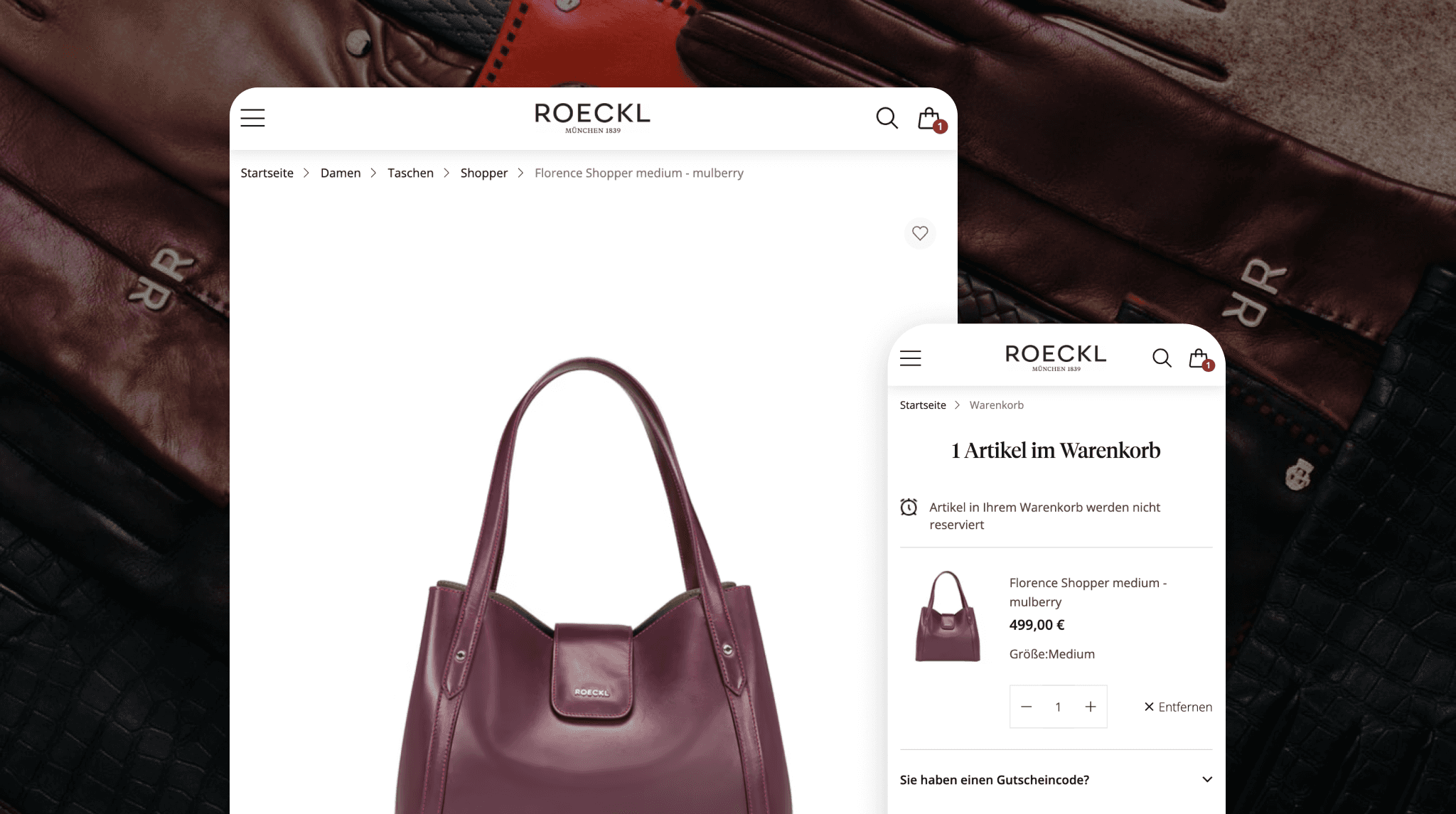
Roeckl seamless mobile checkout

Using Mollie, they began offering the most relevant payment methods for the German market, such as PayPal, Klarna, and credit cards, to deliver a seamless checkout and payment experience.

You can read the full story here.

  1. Issue ongoing internal reviews

Diane Albouy, Principal Product Manager at Mollie, identified a common, easily fixable mistake on checkout pages: a lack of regular internal review. 

She advises ecommerce heads to review their checkout process daily to identify and resolve issues such as non-functional tabs, poor font selection, or greyed-out buttons.

It can also be useful to ask friends and family to try and buy something on the site. Anywhere they get stuck should become a priority for reducing friction. 

  1. Leverage the power of AI 

The launch of agentic commerce in the US and, soon, in Europe promises to transform how people buy, from product discovery to conversations with AI assistants. 

You can leverage AI in many ways to optimise the checkout process, making it faster, more innovative, and more personalised.

  • Personalise the buying experience: AI can analyse customer data, such as preferences and order history, to recommend suitable products and special deals.

  • Simplifying the checkout process: With tokenised payments, customers never have to re-enter payment or shipping details, making the purchase lightning-fast.

  • Offer smart payments: AI recommends the most suitable payment methods for your customers based on their preferences. 

  • Reduce friction during checkout: AI can streamline transactions by enabling autofill, predictive text, and real-time error detection, making the buying process hassle-free for customers.

Want more practical, strategic information about agentic commerce? You can check out our latest guide – “Agentic commerce: Your questions answered.”

Now that you have uncovered the key reasons for cart abandonment, let’s explore how to improve the buying experience and boost ecommerce revenues with these five checkout process best practices (accompanied by real-life examples from other businesses). 

  1. Simplify the checkout process

Once a customer decides to purchase, the website’s goal is to ensure the order is completed as quickly and easily as possible. The key is to make the checkout process simple, frictionless and intuitive.

One-click checkout

For users who repeatedly order from an online store, re-entering their personal details each time is frustrating and time-consuming. 

The solution is to enable one-click payments during the ordering process, where payment data from previous orders is encrypted and stored as tokens. This way, customers can pay even faster when placing a new order.

Offer the option to order ‘as a guest’.

While information in a customer database is valuable for subsequent marketing activities, there should be no obligation for customers to register. For many customers, the effort required to create an account with a company they don’t know or have no relationship with can lead to order abandonment.

Additionally, many users prefer ordering something before creating an account. So while they may purchase ‘as a guest’ the first time, if and when they return, they could be far more likely to register to streamline future orders. 

Smart form filling

During checkout, you must collect key data, including the order recipient's name, delivery and billing addresses, and contact details. To avoid making customer fields tedious and time-consuming, merchants should request only the data essential to successful order processing. 

If you want to collect additional information, it’s advisable to mark the fields as ‘optional’. Furthermore, live validation also improves the user experience when entering data. For instance, an invalid postal code can be marked as faulty immediately.

Mollie Checkout can help you adopt these elements by enabling you to easily design a checkout page with single-click payments, best-in-class security, localised language, and payment methods.

  1. Customise your checkout design

A customised checkout should feel like the secure extension of your brand. When the checkout matches your store’s look and feel, you eliminate friction that can arise when a shopper is unexpectedly redirected to a 3rd-party payment page and loses trust due to a different page design.

With a platform like Mollie, customisation goes beyond just adding a logo. We make sure you can tailor the whole experience:

  • Match your UI: Align fonts, colours, and button styles to maintain brand consistency.

  • Bridge the gap with QR codes: Seamlessly move customers from desktop browsing to mobile payments (such as Apple Pay or Bancontact) with on-screen QR codes.

Torfs drives revenue with a customised checkout design

Belgian shoe retailer Torfs is an example of how a checkout optimised for conversion can boost sales. They display a Bancontact QR code in the checkout so shoppers can pay immediately.

Torf displaying a Bancontact QR code at the checkout window

  1. Offer a range of different payment methods

Every consumer has a favourite payment method. Some prefer credit cards or digital wallets, while others prefer to pay with trusted local methods such as iDEAL or Bancontact. Ecommerce companies need to get their payment method mix just right – especially when selling internationally.

Leading payment service providers offer practical integrations for this purpose, allowing multiple online payment methods to be integrated into the shop through a single plugin. This not only reduces costs but also optimises the customer journey, leading to higher conversion rates.

Increasing revenue with localisation at Snag

A good example of this is the sustainable fashion brand Snag, which initially focused solely on the UK market but now generates one-third of its sales in the EU. They’ve invested heavily in refining their customer experience, as reflected in their impressive Trustpilot score of 4.8.

The process Snag used to ensure its success in expanding into new markets warrants closer examination. Simply introducing local languages at checkout doubled their conversion rate, from 4% to 8%. They then added local payment methods, which raised the conversion rate to 10% and significantly increased revenue.

Snag offers localised payment methods and languages to increase conversion

Once you have localised payment methods, currencies, and languages, you can take it one step further by showing only the relevant payment methods for each market, helping to increase conversion and checkout speed.

  1. Empower users with transparency

When designing a website checkout layout, make sure it clearly displays all essential information to the customer. An appealing layout also supports the intuitive understanding of the checkout process.

A lack of transparency can lead to abandoned carts and lost sales, especially for businesses selling high-ticket items, apparel, or products where sizing and fit are essential.

Below are some ways to increase transparency for your customers during checkout.

Provide transparent return policies 

Uncertainty about meeting product expectations and a lack of a clear return policy at checkout can deter online shoppers. Retailers should craft a comprehensive return policy that is easy to find and understand, outlines return timeframes, refund processing, and conditions. 

Offering hassle-free return shipping reassures customers and typically increases conversions by providing a safety net, especially in high-return categories such as fashion, electronics, and furniture. 

Offer various shipping options

As with payment methods, customers have different preferences for shipping service providers. Therefore, it is worthwhile for shop owners to offer multiple parcel services. This way, customers can choose to have their package delivered by DHL, UPS, Hermes, or DPD, for example.

Establish trust with badges and customer reviews

Trust badges convey credibility and assure customers that shopping in the online store is secure. If potential customers lack confidence in a store's credibility, they are more likely to order from a trusted competitor.

Retailers should strive to obtain the following badges in their online store:

  • Trusted Shops

  • TÜV Seal

  • Merchant Association’s Buyer’s Seal

  • EHI Seal

Secure browser connection (SSL/HTTPS)

To reassure customers, businesses should prominently display trust signals throughout the checkout process. This can include:

  • SSL certificates confirm encrypted transactions.

  • Payment security logos (e.g., Visa Secure, PayPal Verified).

  • Customer service guarantees (easy returns, money-back policies).

  • Verified customer reviews or testimonials.

  1. Optimise for all devices

Many mobile shoppers abandon their carts due to frustrating checkout experiences, including slow loading times, difficult-to-tap buttons, and multiple form fields. 

To improve mobile checkout conversion, simplifying the process is the key. This can be done by adopting a one-page checkout, condensing forms to essential details, or using smart autofill. 

Designing for touch with large buttons and mobile-optimised keyboards is also important to ensure easy interaction. Moreover, retailers can reduce load times by optimising images, reducing code, and implementing Accelerated Mobile Pages (AMP).

Roeckl – using a payment service provider to grow and modernise

Luxury accessories brand Roeckl, a German firm established in 1839, has traditionally relied on point-of-sale channels to sell its products. But as their online business became top of mind, they realised they needed to focus on mobile payments and sought a partner to support it. 

Roeckl seamless mobile checkout

Using Mollie, they began offering the most relevant payment methods for the German market, such as PayPal, Klarna, and credit cards, to deliver a seamless checkout and payment experience.

You can read the full story here.

  1. Issue ongoing internal reviews

Diane Albouy, Principal Product Manager at Mollie, identified a common, easily fixable mistake on checkout pages: a lack of regular internal review. 

She advises ecommerce heads to review their checkout process daily to identify and resolve issues such as non-functional tabs, poor font selection, or greyed-out buttons.

It can also be useful to ask friends and family to try and buy something on the site. Anywhere they get stuck should become a priority for reducing friction. 

  1. Leverage the power of AI 

The launch of agentic commerce in the US and, soon, in Europe promises to transform how people buy, from product discovery to conversations with AI assistants. 

You can leverage AI in many ways to optimise the checkout process, making it faster, more innovative, and more personalised.

  • Personalise the buying experience: AI can analyse customer data, such as preferences and order history, to recommend suitable products and special deals.

  • Simplifying the checkout process: With tokenised payments, customers never have to re-enter payment or shipping details, making the purchase lightning-fast.

  • Offer smart payments: AI recommends the most suitable payment methods for your customers based on their preferences. 

  • Reduce friction during checkout: AI can streamline transactions by enabling autofill, predictive text, and real-time error detection, making the buying process hassle-free for customers.

Want more practical, strategic information about agentic commerce? You can check out our latest guide – “Agentic commerce: Your questions answered.”

Now that you have uncovered the key reasons for cart abandonment, let’s explore how to improve the buying experience and boost ecommerce revenues with these five checkout process best practices (accompanied by real-life examples from other businesses). 

  1. Simplify the checkout process

Once a customer decides to purchase, the website’s goal is to ensure the order is completed as quickly and easily as possible. The key is to make the checkout process simple, frictionless and intuitive.

One-click checkout

For users who repeatedly order from an online store, re-entering their personal details each time is frustrating and time-consuming. 

The solution is to enable one-click payments during the ordering process, where payment data from previous orders is encrypted and stored as tokens. This way, customers can pay even faster when placing a new order.

Offer the option to order ‘as a guest’.

While information in a customer database is valuable for subsequent marketing activities, there should be no obligation for customers to register. For many customers, the effort required to create an account with a company they don’t know or have no relationship with can lead to order abandonment.

Additionally, many users prefer ordering something before creating an account. So while they may purchase ‘as a guest’ the first time, if and when they return, they could be far more likely to register to streamline future orders. 

Smart form filling

During checkout, you must collect key data, including the order recipient's name, delivery and billing addresses, and contact details. To avoid making customer fields tedious and time-consuming, merchants should request only the data essential to successful order processing. 

If you want to collect additional information, it’s advisable to mark the fields as ‘optional’. Furthermore, live validation also improves the user experience when entering data. For instance, an invalid postal code can be marked as faulty immediately.

Mollie Checkout can help you adopt these elements by enabling you to easily design a checkout page with single-click payments, best-in-class security, localised language, and payment methods.

  1. Customise your checkout design

A customised checkout should feel like the secure extension of your brand. When the checkout matches your store’s look and feel, you eliminate friction that can arise when a shopper is unexpectedly redirected to a 3rd-party payment page and loses trust due to a different page design.

With a platform like Mollie, customisation goes beyond just adding a logo. We make sure you can tailor the whole experience:

  • Match your UI: Align fonts, colours, and button styles to maintain brand consistency.

  • Bridge the gap with QR codes: Seamlessly move customers from desktop browsing to mobile payments (such as Apple Pay or Bancontact) with on-screen QR codes.

Torfs drives revenue with a customised checkout design

Belgian shoe retailer Torfs is an example of how a checkout optimised for conversion can boost sales. They display a Bancontact QR code in the checkout so shoppers can pay immediately.

Torf displaying a Bancontact QR code at the checkout window

  1. Offer a range of different payment methods

Every consumer has a favourite payment method. Some prefer credit cards or digital wallets, while others prefer to pay with trusted local methods such as iDEAL or Bancontact. Ecommerce companies need to get their payment method mix just right – especially when selling internationally.

Leading payment service providers offer practical integrations for this purpose, allowing multiple online payment methods to be integrated into the shop through a single plugin. This not only reduces costs but also optimises the customer journey, leading to higher conversion rates.

Increasing revenue with localisation at Snag

A good example of this is the sustainable fashion brand Snag, which initially focused solely on the UK market but now generates one-third of its sales in the EU. They’ve invested heavily in refining their customer experience, as reflected in their impressive Trustpilot score of 4.8.

The process Snag used to ensure its success in expanding into new markets warrants closer examination. Simply introducing local languages at checkout doubled their conversion rate, from 4% to 8%. They then added local payment methods, which raised the conversion rate to 10% and significantly increased revenue.

Snag offers localised payment methods and languages to increase conversion

Once you have localised payment methods, currencies, and languages, you can take it one step further by showing only the relevant payment methods for each market, helping to increase conversion and checkout speed.

  1. Empower users with transparency

When designing a website checkout layout, make sure it clearly displays all essential information to the customer. An appealing layout also supports the intuitive understanding of the checkout process.

A lack of transparency can lead to abandoned carts and lost sales, especially for businesses selling high-ticket items, apparel, or products where sizing and fit are essential.

Below are some ways to increase transparency for your customers during checkout.

Provide transparent return policies 

Uncertainty about meeting product expectations and a lack of a clear return policy at checkout can deter online shoppers. Retailers should craft a comprehensive return policy that is easy to find and understand, outlines return timeframes, refund processing, and conditions. 

Offering hassle-free return shipping reassures customers and typically increases conversions by providing a safety net, especially in high-return categories such as fashion, electronics, and furniture. 

Offer various shipping options

As with payment methods, customers have different preferences for shipping service providers. Therefore, it is worthwhile for shop owners to offer multiple parcel services. This way, customers can choose to have their package delivered by DHL, UPS, Hermes, or DPD, for example.

Establish trust with badges and customer reviews

Trust badges convey credibility and assure customers that shopping in the online store is secure. If potential customers lack confidence in a store's credibility, they are more likely to order from a trusted competitor.

Retailers should strive to obtain the following badges in their online store:

  • Trusted Shops

  • TÜV Seal

  • Merchant Association’s Buyer’s Seal

  • EHI Seal

Secure browser connection (SSL/HTTPS)

To reassure customers, businesses should prominently display trust signals throughout the checkout process. This can include:

  • SSL certificates confirm encrypted transactions.

  • Payment security logos (e.g., Visa Secure, PayPal Verified).

  • Customer service guarantees (easy returns, money-back policies).

  • Verified customer reviews or testimonials.

  1. Optimise for all devices

Many mobile shoppers abandon their carts due to frustrating checkout experiences, including slow loading times, difficult-to-tap buttons, and multiple form fields. 

To improve mobile checkout conversion, simplifying the process is the key. This can be done by adopting a one-page checkout, condensing forms to essential details, or using smart autofill. 

Designing for touch with large buttons and mobile-optimised keyboards is also important to ensure easy interaction. Moreover, retailers can reduce load times by optimising images, reducing code, and implementing Accelerated Mobile Pages (AMP).

Roeckl – using a payment service provider to grow and modernise

Luxury accessories brand Roeckl, a German firm established in 1839, has traditionally relied on point-of-sale channels to sell its products. But as their online business became top of mind, they realised they needed to focus on mobile payments and sought a partner to support it. 

Roeckl seamless mobile checkout

Using Mollie, they began offering the most relevant payment methods for the German market, such as PayPal, Klarna, and credit cards, to deliver a seamless checkout and payment experience.

You can read the full story here.

  1. Issue ongoing internal reviews

Diane Albouy, Principal Product Manager at Mollie, identified a common, easily fixable mistake on checkout pages: a lack of regular internal review. 

She advises ecommerce heads to review their checkout process daily to identify and resolve issues such as non-functional tabs, poor font selection, or greyed-out buttons.

It can also be useful to ask friends and family to try and buy something on the site. Anywhere they get stuck should become a priority for reducing friction. 

  1. Leverage the power of AI 

The launch of agentic commerce in the US and, soon, in Europe promises to transform how people buy, from product discovery to conversations with AI assistants. 

You can leverage AI in many ways to optimise the checkout process, making it faster, more innovative, and more personalised.

  • Personalise the buying experience: AI can analyse customer data, such as preferences and order history, to recommend suitable products and special deals.

  • Simplifying the checkout process: With tokenised payments, customers never have to re-enter payment or shipping details, making the purchase lightning-fast.

  • Offer smart payments: AI recommends the most suitable payment methods for your customers based on their preferences. 

  • Reduce friction during checkout: AI can streamline transactions by enabling autofill, predictive text, and real-time error detection, making the buying process hassle-free for customers.

Want more practical, strategic information about agentic commerce? You can check out our latest guide – “Agentic commerce: Your questions answered.”

Now that you have uncovered the key reasons for cart abandonment, let’s explore how to improve the buying experience and boost ecommerce revenues with these five checkout process best practices (accompanied by real-life examples from other businesses). 

  1. Simplify the checkout process

Once a customer decides to purchase, the website’s goal is to ensure the order is completed as quickly and easily as possible. The key is to make the checkout process simple, frictionless and intuitive.

One-click checkout

For users who repeatedly order from an online store, re-entering their personal details each time is frustrating and time-consuming. 

The solution is to enable one-click payments during the ordering process, where payment data from previous orders is encrypted and stored as tokens. This way, customers can pay even faster when placing a new order.

Offer the option to order ‘as a guest’.

While information in a customer database is valuable for subsequent marketing activities, there should be no obligation for customers to register. For many customers, the effort required to create an account with a company they don’t know or have no relationship with can lead to order abandonment.

Additionally, many users prefer ordering something before creating an account. So while they may purchase ‘as a guest’ the first time, if and when they return, they could be far more likely to register to streamline future orders. 

Smart form filling

During checkout, you must collect key data, including the order recipient's name, delivery and billing addresses, and contact details. To avoid making customer fields tedious and time-consuming, merchants should request only the data essential to successful order processing. 

If you want to collect additional information, it’s advisable to mark the fields as ‘optional’. Furthermore, live validation also improves the user experience when entering data. For instance, an invalid postal code can be marked as faulty immediately.

Mollie Checkout can help you adopt these elements by enabling you to easily design a checkout page with single-click payments, best-in-class security, localised language, and payment methods.

  1. Customise your checkout design

A customised checkout should feel like the secure extension of your brand. When the checkout matches your store’s look and feel, you eliminate friction that can arise when a shopper is unexpectedly redirected to a 3rd-party payment page and loses trust due to a different page design.

With a platform like Mollie, customisation goes beyond just adding a logo. We make sure you can tailor the whole experience:

  • Match your UI: Align fonts, colours, and button styles to maintain brand consistency.

  • Bridge the gap with QR codes: Seamlessly move customers from desktop browsing to mobile payments (such as Apple Pay or Bancontact) with on-screen QR codes.

Torfs drives revenue with a customised checkout design

Belgian shoe retailer Torfs is an example of how a checkout optimised for conversion can boost sales. They display a Bancontact QR code in the checkout so shoppers can pay immediately.

Torf displaying a Bancontact QR code at the checkout window

  1. Offer a range of different payment methods

Every consumer has a favourite payment method. Some prefer credit cards or digital wallets, while others prefer to pay with trusted local methods such as iDEAL or Bancontact. Ecommerce companies need to get their payment method mix just right – especially when selling internationally.

Leading payment service providers offer practical integrations for this purpose, allowing multiple online payment methods to be integrated into the shop through a single plugin. This not only reduces costs but also optimises the customer journey, leading to higher conversion rates.

Increasing revenue with localisation at Snag

A good example of this is the sustainable fashion brand Snag, which initially focused solely on the UK market but now generates one-third of its sales in the EU. They’ve invested heavily in refining their customer experience, as reflected in their impressive Trustpilot score of 4.8.

The process Snag used to ensure its success in expanding into new markets warrants closer examination. Simply introducing local languages at checkout doubled their conversion rate, from 4% to 8%. They then added local payment methods, which raised the conversion rate to 10% and significantly increased revenue.

Snag offers localised payment methods and languages to increase conversion

Once you have localised payment methods, currencies, and languages, you can take it one step further by showing only the relevant payment methods for each market, helping to increase conversion and checkout speed.

  1. Empower users with transparency

When designing a website checkout layout, make sure it clearly displays all essential information to the customer. An appealing layout also supports the intuitive understanding of the checkout process.

A lack of transparency can lead to abandoned carts and lost sales, especially for businesses selling high-ticket items, apparel, or products where sizing and fit are essential.

Below are some ways to increase transparency for your customers during checkout.

Provide transparent return policies 

Uncertainty about meeting product expectations and a lack of a clear return policy at checkout can deter online shoppers. Retailers should craft a comprehensive return policy that is easy to find and understand, outlines return timeframes, refund processing, and conditions. 

Offering hassle-free return shipping reassures customers and typically increases conversions by providing a safety net, especially in high-return categories such as fashion, electronics, and furniture. 

Offer various shipping options

As with payment methods, customers have different preferences for shipping service providers. Therefore, it is worthwhile for shop owners to offer multiple parcel services. This way, customers can choose to have their package delivered by DHL, UPS, Hermes, or DPD, for example.

Establish trust with badges and customer reviews

Trust badges convey credibility and assure customers that shopping in the online store is secure. If potential customers lack confidence in a store's credibility, they are more likely to order from a trusted competitor.

Retailers should strive to obtain the following badges in their online store:

  • Trusted Shops

  • TÜV Seal

  • Merchant Association’s Buyer’s Seal

  • EHI Seal

Secure browser connection (SSL/HTTPS)

To reassure customers, businesses should prominently display trust signals throughout the checkout process. This can include:

  • SSL certificates confirm encrypted transactions.

  • Payment security logos (e.g., Visa Secure, PayPal Verified).

  • Customer service guarantees (easy returns, money-back policies).

  • Verified customer reviews or testimonials.

  1. Optimise for all devices

Many mobile shoppers abandon their carts due to frustrating checkout experiences, including slow loading times, difficult-to-tap buttons, and multiple form fields. 

To improve mobile checkout conversion, simplifying the process is the key. This can be done by adopting a one-page checkout, condensing forms to essential details, or using smart autofill. 

Designing for touch with large buttons and mobile-optimised keyboards is also important to ensure easy interaction. Moreover, retailers can reduce load times by optimising images, reducing code, and implementing Accelerated Mobile Pages (AMP).

Roeckl – using a payment service provider to grow and modernise

Luxury accessories brand Roeckl, a German firm established in 1839, has traditionally relied on point-of-sale channels to sell its products. But as their online business became top of mind, they realised they needed to focus on mobile payments and sought a partner to support it. 

Roeckl seamless mobile checkout

Using Mollie, they began offering the most relevant payment methods for the German market, such as PayPal, Klarna, and credit cards, to deliver a seamless checkout and payment experience.

You can read the full story here.

  1. Issue ongoing internal reviews

Diane Albouy, Principal Product Manager at Mollie, identified a common, easily fixable mistake on checkout pages: a lack of regular internal review. 

She advises ecommerce heads to review their checkout process daily to identify and resolve issues such as non-functional tabs, poor font selection, or greyed-out buttons.

It can also be useful to ask friends and family to try and buy something on the site. Anywhere they get stuck should become a priority for reducing friction. 

  1. Leverage the power of AI 

The launch of agentic commerce in the US and, soon, in Europe promises to transform how people buy, from product discovery to conversations with AI assistants. 

You can leverage AI in many ways to optimise the checkout process, making it faster, more innovative, and more personalised.

  • Personalise the buying experience: AI can analyse customer data, such as preferences and order history, to recommend suitable products and special deals.

  • Simplifying the checkout process: With tokenised payments, customers never have to re-enter payment or shipping details, making the purchase lightning-fast.

  • Offer smart payments: AI recommends the most suitable payment methods for your customers based on their preferences. 

  • Reduce friction during checkout: AI can streamline transactions by enabling autofill, predictive text, and real-time error detection, making the buying process hassle-free for customers.

Want more practical, strategic information about agentic commerce? You can check out our latest guide – “Agentic commerce: Your questions answered.”

Provide seamless checkout experiences and increase conversion rate with Mollie

When optimising your conversion rate, the customer and their shopping experience should always be at the centre of your efforts. Not every customer has the exact needs, so flexibility can be a key success factor. 

Additionally, the checkout process should be streamlined to enable customers to complete their orders with minimal effort.

At Mollie, we’re always thinking about checkout conversion and reviewing how we help our customers drive sales. That’s why our hosted payment page is optimised for conversion and delivers a seamless customer experience. We also offer a range of payment features and leading and localised payment methods to drive growth. 

Discover more about online payments with Mollie

Stay up to date

Never miss an update. Receive product updates, news and customer stories right into your inbox.

Stay up to date

Never miss an update. Receive product updates, news and customer stories right into your inbox.

Connect every payment. Upgrade every part of your business.

Never miss an update. Receive product updates, news and customer stories right into your inbox.

Stay up to date

Never miss an update. Receive product updates, news and customer stories right into your inbox.

Form fields
Form fields
Form fields
Form fields

Table of contents

Table of contents

Table of contents

Table of contents

MollieGrowthThe complete guide to conversion rate optimisation in ecommerce