Bringing your Pickware payments together with Mollie: one partner for every channel

You’ve unified your business with Pickware. See how Mollie unifies your online and in-store payments too.

You’ve unified your business with Pickware. See how Mollie unifies your online and in-store payments too.

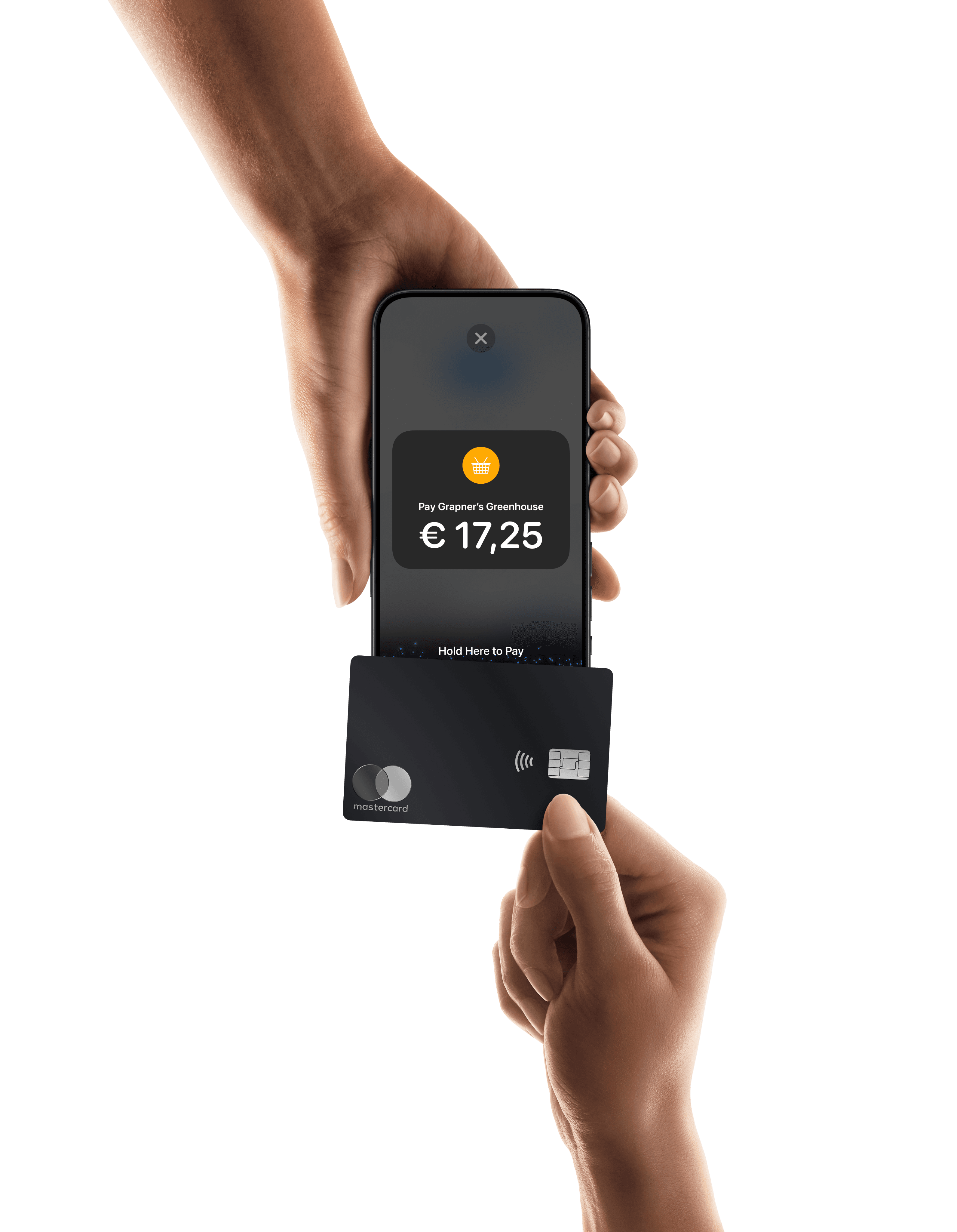
Image showing Pickware POS

Pickware already connects your online and in-store operations behind the scenes: inventory and orders in a single system, no matter where the sale happens. Payments often work differently. Pickware lets businesses choose their payment partner, so many use Zettle for the card reader at the till and a separate provider for their webshop. That works, but it means one business runs on two separate payment setups. For businesses that want one provider across all channels, Mollie is built for exactly that.

TL;DR

  • Pickware already unifies your inventory and operations across online and in-store sales; payments are often the one part still split between two providers.

  • Running separate providers in-store and online means two settlement schedules, two fee structures, and two reports for the same business.

  • A connected payment partner gives your finance team one financial picture of the business, not two exports to reconcile by hand.

  • Consolidating providers reduces the number of contracts, support relationships, and dashboards your team manages as you add stores or channels.

  • A connected setup should make it easier to add stores, markets, or payment methods, not harder, because you’re not building separate payment operations for each one.

  • Mollie’s Pickware integration is pre-installed inside the Pickware POS app, so connecting an existing Mollie account takes a few clicks rather than a development project.

  • For German and Austrian merchants specifically, that connected setup also means DATEV-ready exports and localised support.

Pickware already connects your online and in-store operations behind the scenes: inventory and orders in a single system, no matter where the sale happens. Payments often work differently. Pickware lets businesses choose their payment partner, so many use Zettle for the card reader at the till and a separate provider for their webshop. That works, but it means one business runs on two separate payment setups. For businesses that want one provider across all channels, Mollie is built for exactly that.

TL;DR

  • Pickware already unifies your inventory and operations across online and in-store sales; payments are often the one part still split between two providers.

  • Running separate providers in-store and online means two settlement schedules, two fee structures, and two reports for the same business.

  • A connected payment partner gives your finance team one financial picture of the business, not two exports to reconcile by hand.

  • Consolidating providers reduces the number of contracts, support relationships, and dashboards your team manages as you add stores or channels.

  • A connected setup should make it easier to add stores, markets, or payment methods, not harder, because you’re not building separate payment operations for each one.

  • Mollie’s Pickware integration is pre-installed inside the Pickware POS app, so connecting an existing Mollie account takes a few clicks rather than a development project.

  • For German and Austrian merchants specifically, that connected setup also means DATEV-ready exports and localised support.

Pickware already connects your online and in-store operations behind the scenes: inventory and orders in a single system, no matter where the sale happens. Payments often work differently. Pickware lets businesses choose their payment partner, so many use Zettle for the card reader at the till and a separate provider for their webshop. That works, but it means one business runs on two separate payment setups. For businesses that want one provider across all channels, Mollie is built for exactly that.

TL;DR

  • Pickware already unifies your inventory and operations across online and in-store sales; payments are often the one part still split between two providers.

  • Running separate providers in-store and online means two settlement schedules, two fee structures, and two reports for the same business.

  • A connected payment partner gives your finance team one financial picture of the business, not two exports to reconcile by hand.

  • Consolidating providers reduces the number of contracts, support relationships, and dashboards your team manages as you add stores or channels.

  • A connected setup should make it easier to add stores, markets, or payment methods, not harder, because you’re not building separate payment operations for each one.

  • Mollie’s Pickware integration is pre-installed inside the Pickware POS app, so connecting an existing Mollie account takes a few clicks rather than a development project.

  • For German and Austrian merchants specifically, that connected setup also means DATEV-ready exports and localised support.

Pickware already connects your online and in-store operations behind the scenes: inventory and orders in a single system, no matter where the sale happens. Payments often work differently. Pickware lets businesses choose their payment partner, so many use Zettle for the card reader at the till and a separate provider for their webshop. That works, but it means one business runs on two separate payment setups. For businesses that want one provider across all channels, Mollie is built for exactly that.

TL;DR

  • Pickware already unifies your inventory and operations across online and in-store sales; payments are often the one part still split between two providers.

  • Running separate providers in-store and online means two settlement schedules, two fee structures, and two reports for the same business.

  • A connected payment partner gives your finance team one financial picture of the business, not two exports to reconcile by hand.

  • Consolidating providers reduces the number of contracts, support relationships, and dashboards your team manages as you add stores or channels.

  • A connected setup should make it easier to add stores, markets, or payment methods, not harder, because you’re not building separate payment operations for each one.

  • Mollie’s Pickware integration is pre-installed inside the Pickware POS app, so connecting an existing Mollie account takes a few clicks rather than a development project.

  • For German and Austrian merchants specifically, that connected setup also means DATEV-ready exports and localised support.

Your operations with Pickware are unified – your payments can be too

Pickware already does the hard part. It connects your inventory, orders, and day-to-day operations across your webshop and physical stores, so stock levels match and sales data lands in one system regardless of channel.

Payments often sit outside that. The card reader at your till and the payment provider on your webshop both plug into the same Pickware setup, but they work separately: two settlement schedules, two fee structures, and two logins for whoever reconciles the accounts at month-end.

Running two separate providers splits your financial picture again, even though your operations aren’t. This article covers seven signs that’s costing you, how to bring your payments together in Pickware, and what changes when you run through one provider instead of two.

Pickware already does the hard part. It connects your inventory, orders, and day-to-day operations across your webshop and physical stores, so stock levels match and sales data lands in one system regardless of channel.

Payments often sit outside that. The card reader at your till and the payment provider on your webshop both plug into the same Pickware setup, but they work separately: two settlement schedules, two fee structures, and two logins for whoever reconciles the accounts at month-end.

Running two separate providers splits your financial picture again, even though your operations aren’t. This article covers seven signs that’s costing you, how to bring your payments together in Pickware, and what changes when you run through one provider instead of two.

Pickware already does the hard part. It connects your inventory, orders, and day-to-day operations across your webshop and physical stores, so stock levels match and sales data lands in one system regardless of channel.

Payments often sit outside that. The card reader at your till and the payment provider on your webshop both plug into the same Pickware setup, but they work separately: two settlement schedules, two fee structures, and two logins for whoever reconciles the accounts at month-end.

Running two separate providers splits your financial picture again, even though your operations aren’t. This article covers seven signs that’s costing you, how to bring your payments together in Pickware, and what changes when you run through one provider instead of two.

Pickware already does the hard part. It connects your inventory, orders, and day-to-day operations across your webshop and physical stores, so stock levels match and sales data lands in one system regardless of channel.

Payments often sit outside that. The card reader at your till and the payment provider on your webshop both plug into the same Pickware setup, but they work separately: two settlement schedules, two fee structures, and two logins for whoever reconciles the accounts at month-end.

Running two separate providers splits your financial picture again, even though your operations aren’t. This article covers seven signs that’s costing you, how to bring your payments together in Pickware, and what changes when you run through one provider instead of two.

Seven signs your payments haven’t caught up with the rest of your business

1. Do you have one financial view of your business, or two?

If you need to open your in-store provider’s reporting and your online provider’s dashboard separately and add them together, that’s your first sign.

Image showing Mollie dashboard

Your in-store provider can tell you what happened at the till. Your online provider can tell you what happened on the webshop. Neither tells the whole story on its own, so someone ends up manually compiling data from both sources. The Mollie Dashboard is built to be that one place instead, covering payments and reporting across channels from a single login.

2. How much manual work goes into reconciling two settlement schedules?

Two providers rarely settle on the same schedule, use the same transaction references, or categorise fees the same way. Someone, usually in finance, has to match them up, explain the gaps, and do it again next month.

That work doesn’t show up on an invoice, so it’s easy to underestimate. It’s real-time, done by a real person, every month, for as long as the two providers stay apart. Our guide to unified commerce explains why businesses usually notice this kind of manual reconciliation first when they start counting it.

3. How many providers, contracts, and dashboards are you actually managing?

It’s worth writing the list out properly, rather than thinking about it in the abstract: one provider for the till, one for the webshop, two contracts, two support numbers, two logins, and two sets of fees to track. None of these is a big problem on its own. Together, they’re a second job nobody was hired to do.

Every provider you add is another relationship to manage, and another point where something can go wrong without anyone immediately knowing who’s responsible for fixing it. Our omnichannel payments guide covers this pattern across other retail businesses, not just Pickware businesses, if you want the wider picture.

4. Do your reports tell the same story across channels?

Two providers rarely categorise transactions, fees, or refunds the same way. So when you try to work out whether your webshop or your physical store is actually more profitable, you’re not just comparing sales figures; you’re comparing two different sets of assumptions about what counts as a fee, a refund, or a chargeback. To get an honest read, you have to normalise two reports by hand before the comparison can even start.

With one provider, the numbers already speak the same language, so you can compare them directly, without adjustment.

5. Can your payment setup grow with you?

Opening a second store means ordering a new terminal, getting it installed on-site, and connecting it to your payment profile, a process that can take days depending on who you’re with. 

With Mollie, you can connect a new terminal to your existing account remotely, no technician required, and the same account already covers whichever markets and payment methods your webshop supports. 

6. Can one account cover more than the till?

Taking payment at the till is only one part of how you sell. With Mollie’s POS payments, the same account that runs your Pickware POS terminal also covers your webshop, payment links, and reporting. So when you need something new, whether that’s an additional payment method or selling via payment link, you add it to your existing setup instead of bringing in another provider.

7. Who do you call when something goes wrong, and how fast do they answer?

Two providers means two places to raise an issue. One payment partner means one number to call, one team with the full picture of your account, and one place accountable for sorting it out.

1. Do you have one financial view of your business, or two?

If you need to open your in-store provider’s reporting and your online provider’s dashboard separately and add them together, that’s your first sign.

Image showing Mollie dashboard

Your in-store provider can tell you what happened at the till. Your online provider can tell you what happened on the webshop. Neither tells the whole story on its own, so someone ends up manually compiling data from both sources. The Mollie Dashboard is built to be that one place instead, covering payments and reporting across channels from a single login.

2. How much manual work goes into reconciling two settlement schedules?

Two providers rarely settle on the same schedule, use the same transaction references, or categorise fees the same way. Someone, usually in finance, has to match them up, explain the gaps, and do it again next month.

That work doesn’t show up on an invoice, so it’s easy to underestimate. It’s real-time, done by a real person, every month, for as long as the two providers stay apart. Our guide to unified commerce explains why businesses usually notice this kind of manual reconciliation first when they start counting it.

3. How many providers, contracts, and dashboards are you actually managing?

It’s worth writing the list out properly, rather than thinking about it in the abstract: one provider for the till, one for the webshop, two contracts, two support numbers, two logins, and two sets of fees to track. None of these is a big problem on its own. Together, they’re a second job nobody was hired to do.

Every provider you add is another relationship to manage, and another point where something can go wrong without anyone immediately knowing who’s responsible for fixing it. Our omnichannel payments guide covers this pattern across other retail businesses, not just Pickware businesses, if you want the wider picture.

4. Do your reports tell the same story across channels?

Two providers rarely categorise transactions, fees, or refunds the same way. So when you try to work out whether your webshop or your physical store is actually more profitable, you’re not just comparing sales figures; you’re comparing two different sets of assumptions about what counts as a fee, a refund, or a chargeback. To get an honest read, you have to normalise two reports by hand before the comparison can even start.

With one provider, the numbers already speak the same language, so you can compare them directly, without adjustment.

5. Can your payment setup grow with you?

Opening a second store means ordering a new terminal, getting it installed on-site, and connecting it to your payment profile, a process that can take days depending on who you’re with. 

With Mollie, you can connect a new terminal to your existing account remotely, no technician required, and the same account already covers whichever markets and payment methods your webshop supports. 

6. Can one account cover more than the till?

Taking payment at the till is only one part of how you sell. With Mollie’s POS payments, the same account that runs your Pickware POS terminal also covers your webshop, payment links, and reporting. So when you need something new, whether that’s an additional payment method or selling via payment link, you add it to your existing setup instead of bringing in another provider.

7. Who do you call when something goes wrong, and how fast do they answer?

Two providers means two places to raise an issue. One payment partner means one number to call, one team with the full picture of your account, and one place accountable for sorting it out.

1. Do you have one financial view of your business, or two?

If you need to open your in-store provider’s reporting and your online provider’s dashboard separately and add them together, that’s your first sign.

Image showing Mollie dashboard

Your in-store provider can tell you what happened at the till. Your online provider can tell you what happened on the webshop. Neither tells the whole story on its own, so someone ends up manually compiling data from both sources. The Mollie Dashboard is built to be that one place instead, covering payments and reporting across channels from a single login.

2. How much manual work goes into reconciling two settlement schedules?

Two providers rarely settle on the same schedule, use the same transaction references, or categorise fees the same way. Someone, usually in finance, has to match them up, explain the gaps, and do it again next month.

That work doesn’t show up on an invoice, so it’s easy to underestimate. It’s real-time, done by a real person, every month, for as long as the two providers stay apart. Our guide to unified commerce explains why businesses usually notice this kind of manual reconciliation first when they start counting it.

3. How many providers, contracts, and dashboards are you actually managing?

It’s worth writing the list out properly, rather than thinking about it in the abstract: one provider for the till, one for the webshop, two contracts, two support numbers, two logins, and two sets of fees to track. None of these is a big problem on its own. Together, they’re a second job nobody was hired to do.

Every provider you add is another relationship to manage, and another point where something can go wrong without anyone immediately knowing who’s responsible for fixing it. Our omnichannel payments guide covers this pattern across other retail businesses, not just Pickware businesses, if you want the wider picture.

4. Do your reports tell the same story across channels?

Two providers rarely categorise transactions, fees, or refunds the same way. So when you try to work out whether your webshop or your physical store is actually more profitable, you’re not just comparing sales figures; you’re comparing two different sets of assumptions about what counts as a fee, a refund, or a chargeback. To get an honest read, you have to normalise two reports by hand before the comparison can even start.

With one provider, the numbers already speak the same language, so you can compare them directly, without adjustment.

5. Can your payment setup grow with you?

Opening a second store means ordering a new terminal, getting it installed on-site, and connecting it to your payment profile, a process that can take days depending on who you’re with. 

With Mollie, you can connect a new terminal to your existing account remotely, no technician required, and the same account already covers whichever markets and payment methods your webshop supports. 

6. Can one account cover more than the till?

Taking payment at the till is only one part of how you sell. With Mollie’s POS payments, the same account that runs your Pickware POS terminal also covers your webshop, payment links, and reporting. So when you need something new, whether that’s an additional payment method or selling via payment link, you add it to your existing setup instead of bringing in another provider.

7. Who do you call when something goes wrong, and how fast do they answer?

Two providers means two places to raise an issue. One payment partner means one number to call, one team with the full picture of your account, and one place accountable for sorting it out.

1. Do you have one financial view of your business, or two?

If you need to open your in-store provider’s reporting and your online provider’s dashboard separately and add them together, that’s your first sign.

Image showing Mollie dashboard

Your in-store provider can tell you what happened at the till. Your online provider can tell you what happened on the webshop. Neither tells the whole story on its own, so someone ends up manually compiling data from both sources. The Mollie Dashboard is built to be that one place instead, covering payments and reporting across channels from a single login.

2. How much manual work goes into reconciling two settlement schedules?

Two providers rarely settle on the same schedule, use the same transaction references, or categorise fees the same way. Someone, usually in finance, has to match them up, explain the gaps, and do it again next month.

That work doesn’t show up on an invoice, so it’s easy to underestimate. It’s real-time, done by a real person, every month, for as long as the two providers stay apart. Our guide to unified commerce explains why businesses usually notice this kind of manual reconciliation first when they start counting it.

3. How many providers, contracts, and dashboards are you actually managing?

It’s worth writing the list out properly, rather than thinking about it in the abstract: one provider for the till, one for the webshop, two contracts, two support numbers, two logins, and two sets of fees to track. None of these is a big problem on its own. Together, they’re a second job nobody was hired to do.

Every provider you add is another relationship to manage, and another point where something can go wrong without anyone immediately knowing who’s responsible for fixing it. Our omnichannel payments guide covers this pattern across other retail businesses, not just Pickware businesses, if you want the wider picture.

4. Do your reports tell the same story across channels?

Two providers rarely categorise transactions, fees, or refunds the same way. So when you try to work out whether your webshop or your physical store is actually more profitable, you’re not just comparing sales figures; you’re comparing two different sets of assumptions about what counts as a fee, a refund, or a chargeback. To get an honest read, you have to normalise two reports by hand before the comparison can even start.

With one provider, the numbers already speak the same language, so you can compare them directly, without adjustment.

5. Can your payment setup grow with you?

Opening a second store means ordering a new terminal, getting it installed on-site, and connecting it to your payment profile, a process that can take days depending on who you’re with. 

With Mollie, you can connect a new terminal to your existing account remotely, no technician required, and the same account already covers whichever markets and payment methods your webshop supports. 

6. Can one account cover more than the till?

Taking payment at the till is only one part of how you sell. With Mollie’s POS payments, the same account that runs your Pickware POS terminal also covers your webshop, payment links, and reporting. So when you need something new, whether that’s an additional payment method or selling via payment link, you add it to your existing setup instead of bringing in another provider.

7. Who do you call when something goes wrong, and how fast do they answer?

Two providers means two places to raise an issue. One payment partner means one number to call, one team with the full picture of your account, and one place accountable for sorting it out.

Two providers versus one connected partner

The clearest way to see what changes is to lay the two setups side by side.


Pickware POS with separate providers for in-store and online

Pickware POS with Mollie across in-store and online

Daily reporting

Two dashboards, checked and combined separately

One dashboard covering every channel

Reconciliation

Manual matching across two settlement schedules

Consolidated reporting from a single account

Adding a store or market

New contract, new integration, new support relationship

Same connected setup, extended

Refunds

Depends on which system the original sale went through

Processed for any sales channel directly from the Pickware interface

Support

Two providers, two support contacts

One support relationship, with localised support for businesses

Both setups can process a payment. The difference is what it costs your team to run them month after month, and how much of that cost is visible on an invoice versus hidden in someone’s afternoon.

The clearest way to see what changes is to lay the two setups side by side.


Pickware POS with separate providers for in-store and online

Pickware POS with Mollie across in-store and online

Daily reporting

Two dashboards, checked and combined separately

One dashboard covering every channel

Reconciliation

Manual matching across two settlement schedules

Consolidated reporting from a single account

Adding a store or market

New contract, new integration, new support relationship

Same connected setup, extended

Refunds

Depends on which system the original sale went through

Processed for any sales channel directly from the Pickware interface

Support

Two providers, two support contacts

One support relationship, with localised support for businesses

Both setups can process a payment. The difference is what it costs your team to run them month after month, and how much of that cost is visible on an invoice versus hidden in someone’s afternoon.

The clearest way to see what changes is to lay the two setups side by side.


Pickware POS with separate providers for in-store and online

Pickware POS with Mollie across in-store and online

Daily reporting

Two dashboards, checked and combined separately

One dashboard covering every channel

Reconciliation

Manual matching across two settlement schedules

Consolidated reporting from a single account

Adding a store or market

New contract, new integration, new support relationship

Same connected setup, extended

Refunds

Depends on which system the original sale went through

Processed for any sales channel directly from the Pickware interface

Support

Two providers, two support contacts

One support relationship, with localised support for businesses

Both setups can process a payment. The difference is what it costs your team to run them month after month, and how much of that cost is visible on an invoice versus hidden in someone’s afternoon.

The clearest way to see what changes is to lay the two setups side by side.


Pickware POS with separate providers for in-store and online

Pickware POS with Mollie across in-store and online

Daily reporting

Two dashboards, checked and combined separately

One dashboard covering every channel

Reconciliation

Manual matching across two settlement schedules

Consolidated reporting from a single account

Adding a store or market

New contract, new integration, new support relationship

Same connected setup, extended

Refunds

Depends on which system the original sale went through

Processed for any sales channel directly from the Pickware interface

Support

Two providers, two support contacts

One support relationship, with localised support for businesses

Both setups can process a payment. The difference is what it costs your team to run them month after month, and how much of that cost is visible on an invoice versus hidden in someone’s afternoon.

Run in-store and online payments through one provider

Discover how Mollie x Pickware integration works

Why Mollie and Pickware work well together

Mollie extends the same logic Pickware already applies to your operations: one system, regardless of channel. The integration is pre-installed in the Pickware POS app for Shopware 6, so you don’t need a separate plugin to source or install. 

Most card terminals connect to POS software over ZVT, a standard protocol built for one job: letting your till talk to a card reader. Mollie’s integration with Pickware works differently. It’s built on an API instead, which is also why Pickware built its POS around this approach in the first place: an API connection can do things a protocol-level connection can’t. Simply put: with a standard terminal connection, payments work alongside your till. With Mollie’s API integration, payments become part of Pickware.

Connecting an existing Mollie account takes a few steps from the app’s own settings: go to Settings → Card reader → Add card reader → Connect Mollie terminal, log in with your Mollie account, select your Mollie profile and terminal, and confirm. 

From there, your Pickware POS and Shopware webshop can settle through the same Mollie account.

Image showing transactions and terminal device

Once connected, a few things change in practice:

  • One API, every payment type. A single integration covers all payment types and methods, including POS payments and buy now, pay later, instead of treating your terminal and webshop as two separate systems that happen to share a business.

  • One dashboard for both channels. Online and in-person transactions from Pickware POS and your Shopware store appear together in the Mollie Dashboard, rather than in two separate systems you have to check independently.

  • Refunds from one place. You can process refunds for any sales channel directly from the Pickware interface, rather than logging into a second system depending on where the original sale happened.

  • Built for the DACH market. Mollie’s Pickware integration is positioned specifically for German and Austrian operations: data exports are DATEV-ready for bookkeeping, and support is available in German rather than routed through a generic international team.

  • Single settlement. One settlement covers everything processed online and in-store, rather than separate payouts per channel that must be reconciled against separate invoices.

Because Mollie and Pickware can add new functionality through the API rather than being limited by what a standard terminal protocol supports, features can also roll out faster than they would through a generic terminal connection.

Mollie extends the same logic Pickware already applies to your operations: one system, regardless of channel. The integration is pre-installed in the Pickware POS app for Shopware 6, so you don’t need a separate plugin to source or install. 

Most card terminals connect to POS software over ZVT, a standard protocol built for one job: letting your till talk to a card reader. Mollie’s integration with Pickware works differently. It’s built on an API instead, which is also why Pickware built its POS around this approach in the first place: an API connection can do things a protocol-level connection can’t. Simply put: with a standard terminal connection, payments work alongside your till. With Mollie’s API integration, payments become part of Pickware.

Connecting an existing Mollie account takes a few steps from the app’s own settings: go to Settings → Card reader → Add card reader → Connect Mollie terminal, log in with your Mollie account, select your Mollie profile and terminal, and confirm. 

From there, your Pickware POS and Shopware webshop can settle through the same Mollie account.

Image showing transactions and terminal device

Once connected, a few things change in practice:

  • One API, every payment type. A single integration covers all payment types and methods, including POS payments and buy now, pay later, instead of treating your terminal and webshop as two separate systems that happen to share a business.

  • One dashboard for both channels. Online and in-person transactions from Pickware POS and your Shopware store appear together in the Mollie Dashboard, rather than in two separate systems you have to check independently.

  • Refunds from one place. You can process refunds for any sales channel directly from the Pickware interface, rather than logging into a second system depending on where the original sale happened.

  • Built for the DACH market. Mollie’s Pickware integration is positioned specifically for German and Austrian operations: data exports are DATEV-ready for bookkeeping, and support is available in German rather than routed through a generic international team.

  • Single settlement. One settlement covers everything processed online and in-store, rather than separate payouts per channel that must be reconciled against separate invoices.

Because Mollie and Pickware can add new functionality through the API rather than being limited by what a standard terminal protocol supports, features can also roll out faster than they would through a generic terminal connection.

Mollie extends the same logic Pickware already applies to your operations: one system, regardless of channel. The integration is pre-installed in the Pickware POS app for Shopware 6, so you don’t need a separate plugin to source or install. 

Most card terminals connect to POS software over ZVT, a standard protocol built for one job: letting your till talk to a card reader. Mollie’s integration with Pickware works differently. It’s built on an API instead, which is also why Pickware built its POS around this approach in the first place: an API connection can do things a protocol-level connection can’t. Simply put: with a standard terminal connection, payments work alongside your till. With Mollie’s API integration, payments become part of Pickware.

Connecting an existing Mollie account takes a few steps from the app’s own settings: go to Settings → Card reader → Add card reader → Connect Mollie terminal, log in with your Mollie account, select your Mollie profile and terminal, and confirm. 

From there, your Pickware POS and Shopware webshop can settle through the same Mollie account.

Image showing transactions and terminal device

Once connected, a few things change in practice:

  • One API, every payment type. A single integration covers all payment types and methods, including POS payments and buy now, pay later, instead of treating your terminal and webshop as two separate systems that happen to share a business.

  • One dashboard for both channels. Online and in-person transactions from Pickware POS and your Shopware store appear together in the Mollie Dashboard, rather than in two separate systems you have to check independently.

  • Refunds from one place. You can process refunds for any sales channel directly from the Pickware interface, rather than logging into a second system depending on where the original sale happened.

  • Built for the DACH market. Mollie’s Pickware integration is positioned specifically for German and Austrian operations: data exports are DATEV-ready for bookkeeping, and support is available in German rather than routed through a generic international team.

  • Single settlement. One settlement covers everything processed online and in-store, rather than separate payouts per channel that must be reconciled against separate invoices.

Because Mollie and Pickware can add new functionality through the API rather than being limited by what a standard terminal protocol supports, features can also roll out faster than they would through a generic terminal connection.

Mollie extends the same logic Pickware already applies to your operations: one system, regardless of channel. The integration is pre-installed in the Pickware POS app for Shopware 6, so you don’t need a separate plugin to source or install. 

Most card terminals connect to POS software over ZVT, a standard protocol built for one job: letting your till talk to a card reader. Mollie’s integration with Pickware works differently. It’s built on an API instead, which is also why Pickware built its POS around this approach in the first place: an API connection can do things a protocol-level connection can’t. Simply put: with a standard terminal connection, payments work alongside your till. With Mollie’s API integration, payments become part of Pickware.

Connecting an existing Mollie account takes a few steps from the app’s own settings: go to Settings → Card reader → Add card reader → Connect Mollie terminal, log in with your Mollie account, select your Mollie profile and terminal, and confirm. 

From there, your Pickware POS and Shopware webshop can settle through the same Mollie account.

Image showing transactions and terminal device

Once connected, a few things change in practice:

  • One API, every payment type. A single integration covers all payment types and methods, including POS payments and buy now, pay later, instead of treating your terminal and webshop as two separate systems that happen to share a business.

  • One dashboard for both channels. Online and in-person transactions from Pickware POS and your Shopware store appear together in the Mollie Dashboard, rather than in two separate systems you have to check independently.

  • Refunds from one place. You can process refunds for any sales channel directly from the Pickware interface, rather than logging into a second system depending on where the original sale happened.

  • Built for the DACH market. Mollie’s Pickware integration is positioned specifically for German and Austrian operations: data exports are DATEV-ready for bookkeeping, and support is available in German rather than routed through a generic international team.

  • Single settlement. One settlement covers everything processed online and in-store, rather than separate payouts per channel that must be reconciled against separate invoices.

Because Mollie and Pickware can add new functionality through the API rather than being limited by what a standard terminal protocol supports, features can also roll out faster than they would through a generic terminal connection.

Look at the entire setup, not just the terminal

Every card terminal can take a payment at the till. The comparison that matters is what happens after that: the reporting, the reconciliation, and how your business runs across channels once the sale is done.

Run your current setup through the seven signs above. If you find gaps, two dashboards instead of one, manual reconciliation eating into someone’s week, or no clear answer for who to call when something breaks, that’s worth exploring properly, not filing away for later.

At Mollie, we build the Pickware integration around exactly these gaps. That includes:

  • One dashboard for online and in-store payments, covering your Pickware POS and Shopware webshop together

  • An integration pre-installed in Pickware POS, connected to your Mollie account in a few clicks

  • Refunds for any sales channel, handled directly from the Pickware interface

  • DATEV-ready exports and localised support, built for the DACH market

  • POS payments for retail alongside online payment methods, payment links, and reporting, all from one account

  • Transparent pricing with no lock-in contracts

  • Multilingual support, with a real person when you need one

Want to run in-store and online payments through one provider? Talk to our team about what bringing your online and in-store payments together would actually involve.

Want more stories like this? Browse our success stories to see why businesses choose Mollie across their online and in-person sales.

Every card terminal can take a payment at the till. The comparison that matters is what happens after that: the reporting, the reconciliation, and how your business runs across channels once the sale is done.

Run your current setup through the seven signs above. If you find gaps, two dashboards instead of one, manual reconciliation eating into someone’s week, or no clear answer for who to call when something breaks, that’s worth exploring properly, not filing away for later.

At Mollie, we build the Pickware integration around exactly these gaps. That includes:

  • One dashboard for online and in-store payments, covering your Pickware POS and Shopware webshop together

  • An integration pre-installed in Pickware POS, connected to your Mollie account in a few clicks

  • Refunds for any sales channel, handled directly from the Pickware interface

  • DATEV-ready exports and localised support, built for the DACH market

  • POS payments for retail alongside online payment methods, payment links, and reporting, all from one account

  • Transparent pricing with no lock-in contracts

  • Multilingual support, with a real person when you need one

Want to run in-store and online payments through one provider? Talk to our team about what bringing your online and in-store payments together would actually involve.

Want more stories like this? Browse our success stories to see why businesses choose Mollie across their online and in-person sales.

Every card terminal can take a payment at the till. The comparison that matters is what happens after that: the reporting, the reconciliation, and how your business runs across channels once the sale is done.

Run your current setup through the seven signs above. If you find gaps, two dashboards instead of one, manual reconciliation eating into someone’s week, or no clear answer for who to call when something breaks, that’s worth exploring properly, not filing away for later.

At Mollie, we build the Pickware integration around exactly these gaps. That includes:

  • One dashboard for online and in-store payments, covering your Pickware POS and Shopware webshop together

  • An integration pre-installed in Pickware POS, connected to your Mollie account in a few clicks

  • Refunds for any sales channel, handled directly from the Pickware interface

  • DATEV-ready exports and localised support, built for the DACH market

  • POS payments for retail alongside online payment methods, payment links, and reporting, all from one account

  • Transparent pricing with no lock-in contracts

  • Multilingual support, with a real person when you need one

Want to run in-store and online payments through one provider? Talk to our team about what bringing your online and in-store payments together would actually involve.

Want more stories like this? Browse our success stories to see why businesses choose Mollie across their online and in-person sales.

Every card terminal can take a payment at the till. The comparison that matters is what happens after that: the reporting, the reconciliation, and how your business runs across channels once the sale is done.

Run your current setup through the seven signs above. If you find gaps, two dashboards instead of one, manual reconciliation eating into someone’s week, or no clear answer for who to call when something breaks, that’s worth exploring properly, not filing away for later.

At Mollie, we build the Pickware integration around exactly these gaps. That includes:

  • One dashboard for online and in-store payments, covering your Pickware POS and Shopware webshop together

  • An integration pre-installed in Pickware POS, connected to your Mollie account in a few clicks

  • Refunds for any sales channel, handled directly from the Pickware interface

  • DATEV-ready exports and localised support, built for the DACH market

  • POS payments for retail alongside online payment methods, payment links, and reporting, all from one account

  • Transparent pricing with no lock-in contracts

  • Multilingual support, with a real person when you need one

Want to run in-store and online payments through one provider? Talk to our team about what bringing your online and in-store payments together would actually involve.

Want more stories like this? Browse our success stories to see why businesses choose Mollie across their online and in-person sales.

What’s next for Pickware and Mollie

The integration covers today’s setup: connecting an existing store, one dashboard, unified refunds. The partnership is built to go beyond that.

“We’re always happy to recommend a Mollie terminal to our POS customers. Not because it’s in the partnership agreement, but because it simply works well with our system. We’re a tech company that’s always looking for the best solution for our customers. We enjoy working with Mollie because the team behind it thinks exactly like we do. You can see that in the product too. Pickware and Mollie work well together: tap the card on the terminal, the payment goes into Pickware, and the shop's stock levels update straight away. The process is so seamless that the customer doesn’t even realise there are two different companies behind it. And that’s exactly how it should be.” – Samuel Vogel, CEO, Pickware

The integration covers today’s setup: connecting an existing store, one dashboard, unified refunds. The partnership is built to go beyond that.

“We’re always happy to recommend a Mollie terminal to our POS customers. Not because it’s in the partnership agreement, but because it simply works well with our system. We’re a tech company that’s always looking for the best solution for our customers. We enjoy working with Mollie because the team behind it thinks exactly like we do. You can see that in the product too. Pickware and Mollie work well together: tap the card on the terminal, the payment goes into Pickware, and the shop's stock levels update straight away. The process is so seamless that the customer doesn’t even realise there are two different companies behind it. And that’s exactly how it should be.” – Samuel Vogel, CEO, Pickware

The integration covers today’s setup: connecting an existing store, one dashboard, unified refunds. The partnership is built to go beyond that.

“We’re always happy to recommend a Mollie terminal to our POS customers. Not because it’s in the partnership agreement, but because it simply works well with our system. We’re a tech company that’s always looking for the best solution for our customers. We enjoy working with Mollie because the team behind it thinks exactly like we do. You can see that in the product too. Pickware and Mollie work well together: tap the card on the terminal, the payment goes into Pickware, and the shop's stock levels update straight away. The process is so seamless that the customer doesn’t even realise there are two different companies behind it. And that’s exactly how it should be.” – Samuel Vogel, CEO, Pickware

The integration covers today’s setup: connecting an existing store, one dashboard, unified refunds. The partnership is built to go beyond that.

“We’re always happy to recommend a Mollie terminal to our POS customers. Not because it’s in the partnership agreement, but because it simply works well with our system. We’re a tech company that’s always looking for the best solution for our customers. We enjoy working with Mollie because the team behind it thinks exactly like we do. You can see that in the product too. Pickware and Mollie work well together: tap the card on the terminal, the payment goes into Pickware, and the shop's stock levels update straight away. The process is so seamless that the customer doesn’t even realise there are two different companies behind it. And that’s exactly how it should be.” – Samuel Vogel, CEO, Pickware

FAQs: Pickware and Mollie unified payments

How do I connect my Mollie account to Pickware POS?

Connecting Mollie to your Pickware POS takes a few steps:

  1. In the Pickware POS app for Shopware 6, go to Settings → Card reader → Add card reader → Connect Mollie terminal.

  2. Log in with your existing Mollie account.

  3. Select your Mollie profile.

  4. Choose the terminal you want to connect.

  5. Confirm to finish. Your terminal is then linked and ready to take payments.

Do I need a separate Mollie account to use the integration?

Yes. The Pickware integration connects to a Mollie account you already have or set up separately; Pickware doesn’t create it automatically.

Does the integration cover both my webshop and my physical store?

Yes, if you’re running a Shopware webshop alongside Pickware POS in-store. Connecting both to the same Mollie account is what brings the two channels into one dashboard, rather than requiring two separate payment setups.

Is Mollie’s Pickware integration built specifically for Germany and Austria?

Mollie positions this integration around the DACH market, with DATEV-ready exports for German bookkeeping and localised support. If you operate in Austria, your POS system handles fiscalisation under RKSV, not your payment provider. Pickware POS supports this; see our help article.

Which payment methods can I offer through Mollie for Pickware?

This depends on your Mollie account and the markets you sell into, so check your Mollie Dashboard for the current list rather than assuming every method is available everywhere.

How long does setup take?

It takes a few clicks once you’re in the Pickware app’s settings. Actual time will vary depending on whether your Mollie account is already fully set up beforehand.

More updates

Stay up to date

Never miss an update. Receive product updates, news and customer stories right into your inbox.

Form fields

Table of contents

Table of contents

Partner featured

MollieGrowthBringing your Pickware payments together with Mollie: one partner for every channel