Shopware
Paypal
Easily receive PayPal payments in Shopware
PayPal is one of the most popular online payment methods in Germany and Europe.
Via Mollie, you receive PayPal payments in Shopware 5 and 6.
No fixed-term contract, no asterisks, no plugin costs.
You pay transparently per successful PayPal transaction. View pricing details.
PayPal forwards payments directly to you – you receive your money in your PayPal business account.
Fully secured by PayPal seller protection in case of buyer protection claims and chargebacks.

Create a Mollie account for your business. Then install and activate the Mollie plugin for Shopware 6 or Shopware 5.
Enter your Mollie API key to connect Shopware with Mollie.
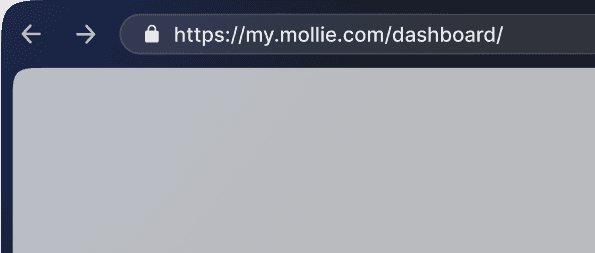
Activate PayPal in the Mollie dashboard and connect Mollie with your existing PayPal business account in this process.
Finally, activate PayPal as a payment method in the Shopware plugin.
Download extension
Connect Mollie with Shopware.
Mollie for Shopware

Receive payments
After onboarding you're ready to receive payments for Pay Pal.

Paypal
Plugin for Shopware 6
Plugin for Shopware 5
The Mollie plugin for Shopware 5 seamlessly integrates PayPal and many other payment methods into your Shopware 5 shop.
PayPal for business
€0.10,- (+PayPal fees)
Official Shopware partner
Experience a cloud-based payment interface that integrates seamlessly with Shopware, reducing transaction drop-offs and attracting more returning customers from various countries. That's why Mollie is recommended by Shopware for payment processing.
More than just PayPal
Via Mollie, you can offer all common local payment methods, including Apple Pay, credit card, SOFORT, and Klarna. All under a single contract and activatable or deactivatable with a click of the mouse.
Excellent Security
Your data and your customers' data are always protected by our comprehensive security measures and strict data protection policies. We regularly conduct internal controls to ensure secure PayPal payments in Shopware.
Mollie is easy to set up
With just a few steps, you can easily reach your goal and set up PayPal in Shopware – our easy-to-understand step-by-step guides make sure of that.
Easy integration
Step-by-step guides lead you to successful integration, with personal support available if needed.
Always Up-to-Date
Our payment gateway is 100% integrated into international systems, always compliant with regulations and guidelines.
































Frequently asked questions
What does PayPal cost for merchants?
What PayPal costs for merchants depends on the type of transaction. The usual PayPal checkout in a shop like Shopware costs 2.99% plus a fixed fee of 0.39 euros. Mollie additionally charges 0.10 euros per successful transaction.
What is a PayPal Business Account?
A PayPal Business Account is a business account with PayPal. Such an account is needed by merchants to receive PayPal payments, for example, through Shopware.
Set up a business account with PayPal.
Can I perform a test payment with PayPal in Shopware?
Yes, you can perform a test payment with PayPal in Shopware. Simply activate the test mode for PayPal in the Shopware plugin configuration."
How are PayPal earnings paid out?
The payout of PayPal earnings to your bank account is done directly by PayPal. In your PayPal business account, you can initiate the payout manually or set up a regular payout frequency.
Is PayPal installment payment possible with Mollie in Shopware?
No, PayPal installment payment is not possible with Mollie in Shopware. This is a separate service from PayPal that is not available as a payment method.
